
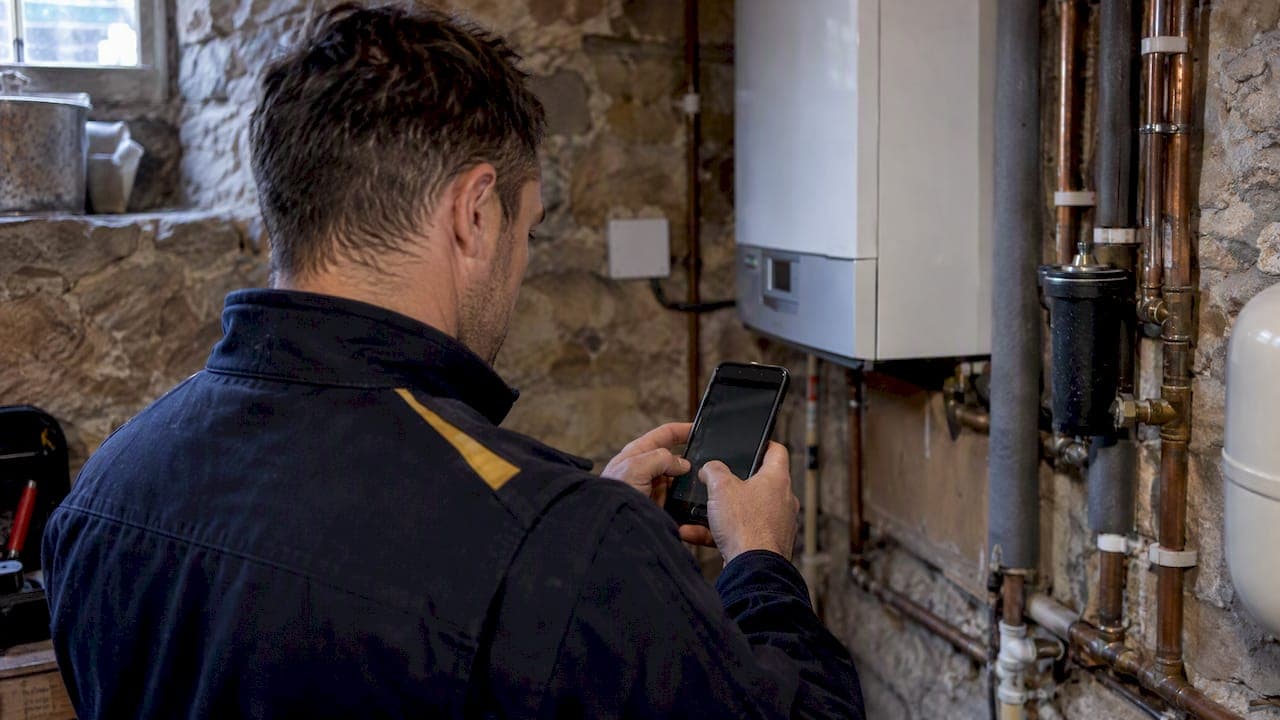
Offline data sync means an app stores your work on the device while there is no signal, then sends it to the central system once a connection returns. For an engineer in a basement plant room, a rural substation or a lift shaft, that is the difference between finishing the certificate on site and rekeying it that evening. The idea is simple. The detail is where field teams get hurt: conflicting edits, uploads that stall, photos that never arrive and audit trails with gaps.
This guide explains how offline sync works, what can go wrong, and what to demand from any field service app before you rely on it for compliance work.
TL;DR
- Offline sync stores changes on the device first, queues them, and uploads them when a connection is detected. The app should work the same with or without signal.
- The hard part is not saving, it is conflicts: what happens when an engineer and the office edit the same job while apart.
- For regulated work, the audit trail must survive interruptions, so look for append-only records with timestamps rather than silent overwrites.
- Data held on a phone or tablet is still personal data under UK GDPR, so encryption and access controls matter as much as sync itself.
- Ask any vendor to show you the sync states on screen. If "saved" is ambiguous, trust will be too.
Table of Contents
- What offline data sync actually means
- Auto-sync, manual sync and what "background" costs
- Why conflicts are the real problem
- "Saved" should never be ambiguous
- Handling failed syncs without losing work
- Audit trails that survive interruption
- Security: the data on the device is still your responsibility
- Our view: sync is a compliance feature, not a convenience
- What to test before you commit to a field service app
- Where Curcle fits
- FAQ
- Sources
What offline data sync actually means
Two ideas are bundled together here. Offline data is information held locally on a device rather than fetched live over the network. Sync is the process that reconciles that local copy with the central system.
In an offline-first design, the device is the primary place the user interacts with. As one system design guide describes it, the app works against local data, keeps a durable queue of changes and resumes synchronisation when it can. The network becomes a background concern rather than a precondition for doing the job.
That is different from an app that merely caches the last screen you saw. A cached app lets you read. An offline-first app lets you create, edit, attach photos, complete forms and close jobs.
A typical cycle looks like this:
- Download. Before or during connectivity, the app pulls the engineer's jobs, site details, asset records and form templates onto the device.
- Work locally. The engineer records readings, ticks checks, captures photos and signatures. Everything is written to local storage.
- Queue. Each change is added to a list of pending operations, in order.
- Upload. When the device detects a connection, the queue is sent to the server, which validates and accepts each change.
- Refresh. The server sends back anything that changed in the office, such as a rescheduled visit or an added note.
Most vendors can describe those five steps. The differences appear in steps 4 and 5, when the two sides disagree.
Auto-sync, manual sync and what "background" costs
Many apps sync automatically. Auto-sync means the application updates its data by communicating with a server in the background whenever it sees a connection. Some enterprise tools make the timing explicit: ArcGIS Field Maps, for example, can be set to sync every 15 minutes when a connection is detected and the app is active.
Three practical points follow for a service business.
- Mobile data use. Background sync can consume cellular data if it is not limited to Wi-Fi in the app's settings. For large photo sets, decide on a policy rather than leaving it to each engineer.
- Battery and timing. Frequent background activity has a cost. A sensible app syncs small records quickly and defers heavy attachments.
- Manual override. Engineers should be able to trigger a sync before leaving a site with good signal, and see that it has finished.
Why conflicts are the real problem
Saving a form on a phone is easy. Deciding what happens when two people change the same record is not. A technician edits an inspection while disconnected, and a coordinator changes the same job in the office. When the phone reconnects, one of them has to win, or both changes have to be merged, or a person has to decide.
Common strategies, as summarised in this architecture reference, include:
| Strategy | How it behaves | Trade-off for field work |
|---|---|---|
| Last write wins | The most recent change overwrites the other | Simple, but one person's work can silently disappear |
| Field-level merge | Non-overlapping changes are both kept | Works well when the office edits scheduling and the engineer edits results |
| Manual resolution | A person is shown both versions and chooses | Safest for certificates, but needs a clear screen and a clear owner |
| Rules by data type | Different fields follow different rules | Most realistic, because a reading and a customer note are not equally sensitive |
For compliance work, last write wins is the one to question. If a gas safety record or an electrical test result can be overwritten without anyone noticing, you have a data integrity problem, not a sync problem. The Clodron write-up makes the same point: an offline field app needs explicit rules for conflicting edits, revoked access and work that has not yet reached the server.
Revoked access and reassigned jobs
There is a conflict that rarely gets discussed. What if an engineer is offline for four hours and, in that time, the job is reassigned or their access is withdrawn? The device still holds data and may still accept new entries. Good design decides in advance what happens to that work on reconnection: is it accepted, held for review or rejected with a clear message?

Ask a vendor that exact question. The answer shows how seriously they have thought about it.
"Saved" should never be ambiguous
One of the most useful rules in offline design is also the plainest: the screen must say where the data is. According to Clodron's guidance, "saved" can mean several things, so the interface should separate a local draft, a pending submission, a server acknowledgement and a conflict.
In practice an engineer should be able to glance at a job and know which of these applies:
- Saved on this device. Safe locally, not yet sent.
- Waiting to upload. In the queue.
- Received. The central system has confirmed it.
- Needs attention. A conflict or failure that requires action.
This matters commercially. If engineers do not trust the status, they screenshot, photograph paper copies or email themselves the PDF. That is the shadow process you bought software to remove.
Handling failed syncs without losing work
Networks drop halfway through an upload. A good app does not treat that as an exception. Practitioners recommend retrying with exponential backoff and jitter, and telling the user clearly when a sync fails or a conflict needs resolving, rather than failing silently.
In plain terms, that means:
- Large uploads such as photos should resume rather than restart.
- A failed item should not block everything behind it in the queue without telling anyone.
- The office should be able to see which devices have unsynced work, so a missing certificate can be chased before the customer asks.
A worked example: an engineer completes a quarterly service on three sites in one day, with signal on the first, none on the second and patchy on the third. With a sound offline design, the first job uploads at once. The second sits in the queue with a clear "waiting" status. On the third, small records go through and the photos follow later. By the time the engineer is home, the office sees three completed jobs, and any exception is flagged rather than hidden.
Audit trails that survive interruption
If you work in gas, electrical, fire, water hygiene, lifting or refrigerant work, your records may be read by an auditor, an insurer, a client or a scheme assessor. Sync must not weaken them.
One governance guide for field-collected data recommends append-only event logs: recording each create, update or redact action with a timestamp and a device-generated identifier, rather than overwriting state. That preserves a chain of custody and helps show data integrity during inspection.
The questions to put to any system:
- Is the time of the original entry kept, or only the time of upload?
- If an entry is amended after sync, is the original still visible?
- Can you export a clear history of who changed what, and when?
- Does the audit trail include entries made offline?
We cover the wider picture of embedding compliance in operations in our guide to stopping audit failures in UK field service, and the specific on-site fields for gas work in our Gas Safe certificate requirements article.
Security: the data on the device is still your responsibility
Offline working means personal and commercial data sits on phones and tablets. That includes customer names, addresses, access notes, photos of premises and signatures. The ICO states that encrypting stored personal information gives effective protection against unauthorised access, particularly if the device is lost or stolen, and can help demonstrate compliance with UK data protection security requirements.
There is also a design principle to adopt. The NCSC's mobile guidance suggests assuming that individual devices may be compromised and building so the central system and bulk data stay protected if one device is breached. For sync, that means a device should only hold what that engineer needs for their own jobs, not your whole customer database.
There is a privacy-notice angle too. The ICO's guidance on storage and access technologies under PECR says these must be considered as part of designing and implementing your service. If you run a bring-your-own-device policy, take advice from your data protection lead or a qualified adviser on mobile device management and the information you give engineers at setup.
A quick checklist for your own business:
- Is the app's local storage encrypted?
- Can you remotely revoke access when a device is lost or an engineer leaves?
- Does each device receive only the data it needs?
- Is there a passcode or biometric lock enforced on the device?
- Do you have a written policy covering personal phones, if you allow them?
Our trust and security page sets out how we approach this on the platform side.
Our view: sync is a compliance feature, not a convenience
Curcle was born inside a real UK service and engineering business, and that shapes how we think about offline working. Signal is not a nice-to-have problem for an engineer: plant rooms, risers, cellars and rural sites are simply where the work is. If the software stops, the engineer reverts to paper, and paper is where records get lost, rekeyed wrongly or never filed.
So we treat sync as part of the compliance backbone rather than an add-on. The mobile engineer app is offline capable, with document and photo capture and audit trails, because a certificate completed on site should be a trustworthy record whether or not the phone had signal at that moment.
Three principles guide us:
- Every click should earn its place. An engineer with cold hands and a customer waiting does not need extra taps to find out whether work has saved.
- Show the truth. Office and field should see the same information, and it should be clear what has reached the central system and what has not.
- Assist, never replace, human judgement. When something needs a decision, it should be surfaced to a person, not quietly resolved by a rule nobody remembers agreeing to.
There is more on how this plays out for engineers in our post on offline forms with audit trails.
— Luke Herridge
What to test before you commit to a field service app
Demos are held on good Wi-Fi. Real life is not. Before you sign, run a short trial that mimics your hardest site.
- Go airplane mode. Open a job, complete a full certificate or report, add photos and a signature, and close it. Does anything refuse to work?
- Force a conflict. Edit the same job from the office and the phone while the phone is offline. See what happens on reconnection and whether anyone is told.
- Interrupt an upload. Switch signal off mid-sync. Does it resume, duplicate or lose data?
- Check timestamps. Compare the recorded time of work with the time of upload.
- Lose a device. Ask how access is revoked and what is left on the handset.
- Export an audit pack. Can you produce the history for one job quickly, including offline entries?
- Try a long day. Fifteen jobs and sixty photos will show up weaknesses a single job will not.
Write the results down. If a vendor will not let you run these tests, that tells you something.
Where Curcle fits
If you run an engineering, maintenance, facilities or other compliance-led service business and still depend on paper, spreadsheets or a patchwork of tools, Curcle brings jobs, customers, engineers, assets, compliance, stock, quoting and invoicing into one connected system, with a mobile app that works offline. You can see how the pieces connect on our field service management software page or browse the full feature list.
Plans start from £99 per month for Starter, from £249 per month for Professional and from £499 per month for Business, with Enterprise available on request. Details are on the pricing page.
FAQ
What does "offline data" mean?
It is information stored locally on a device rather than fetched from a server in real time. In a field service app, that includes the jobs, forms, photos and notes an engineer has on their phone or tablet. Because it can include personal data, it needs the same security care as data in your office systems.
What does auto-sync mean?
Auto-sync means an app updates its data in the background by contacting the server whenever it detects a connection. Some tools let you set the interval, for instance every 15 minutes while the app is active, as ArcGIS Field Maps documents. It can use mobile data unless you restrict it to Wi-Fi.
What happens if two people edit the same job while one is offline?
It depends on the app's conflict rules. Some keep the latest change, some merge separate fields and some ask a person to choose. For certificates and test results, you want a design that flags the conflict and keeps the history rather than overwriting silently.
Is offline working safe under UK GDPR?
It can be, if the data on the device is protected. The ICO says encryption is especially effective when a device is lost or stolen. For your own setup, including personal devices, speak to your data protection lead or a qualified adviser.
Do I lose the audit trail if an engineer works offline?
You should not. A well-designed system records each action with its original timestamp and keeps it through sync, so the history is complete once the device reconnects. Test this in a trial before relying on it.
Sources
- Offline first means deciding who wins, Clodron
- Offline-First System Design: Local Data, Synchronization, and Conflicts, System Design Space
- Offline Sync & Conflict Resolution, ArchMan
- Sync, ArcGIS Field Maps documentation
- Data Governance Patterns for Field Data at the Edge, frees.cloud
- Encryption and data storage, ICO
- Advanced Mobile Solutions guidance, NCSC
- How do we comply with the PECR rules? ICO