
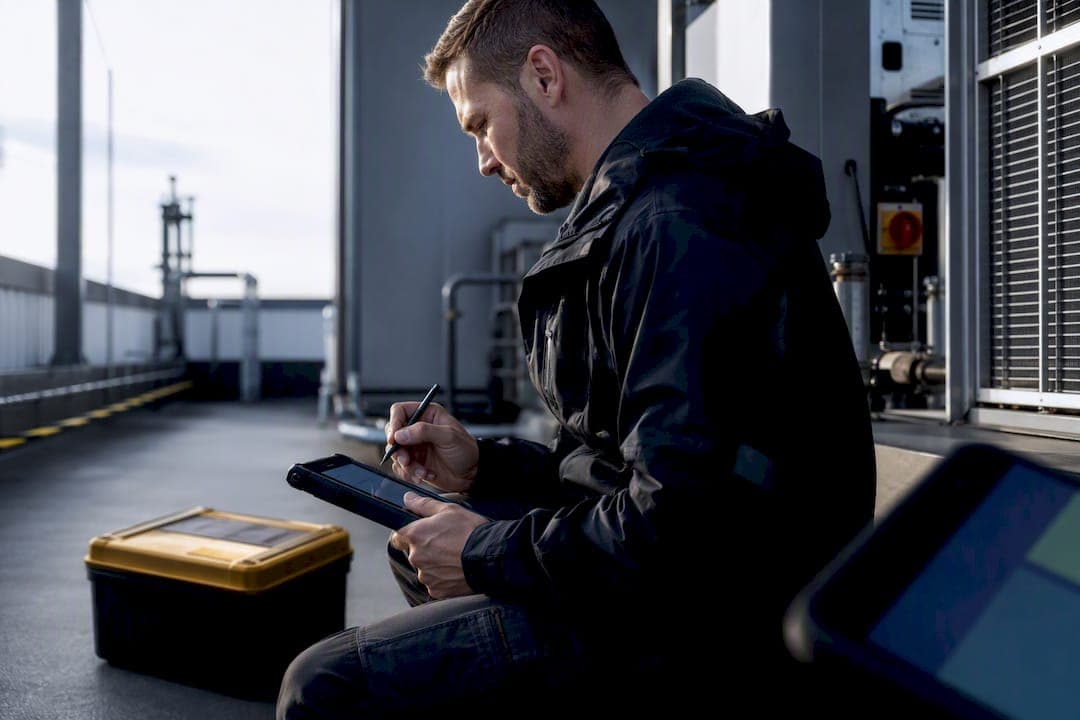
Use an offline-capable mobile form platform that stores submissions locally, shows a visible outbox and auto-syncs into your back office the moment signal returns. That is the only approach that survives a basement plant room or a rural substation with no signal. Some platforms build offline forms for engineers this way, expecting GPS tagging and integrating telematics with annotated photos, signatures and PDF mapping to work whether or not a device is connected.
TL;DR:
- Offline-capable forms must store submissions locally with a visible outbox and automatically sync once a connection is available to prevent data loss in signal-deprived environments.
- Forms should capture GPS data tied to the submission, annotate photos directly, and include digital signatures and timestamps recorded on-device for verification and compliance.
- Reliable sync relies on a local queue that explicitly shows pending items, retries failed uploads automatically, and uses timestamp-based conflict resolution to prevent data inconsistencies.
- Practical testing should include force-closing mid-upload, swapping device clocks, and checking photo attachments for size limits to ensure data integrity in every failure mode.
- Platforms should offer audit trails with server-side timestamps, easy data mapping into standard formats, and integration with existing business systems to streamline post-job reporting.
Table of Contents
- What offline-capable mobile forms must do for engineers
- How does offline sync actually work?
- How to choose an offline form solution for engineering teams
- Deploying offline forms in the field: templates, training and the operational checklist
- Publisher perspective: what building an operations platform for engineers actually teaches you
- Curcle: one platform instead of a stack of disconnected tools
- Sources
- FAQ
What offline-capable mobile forms must do for engineers
Most vendors call something "offline" the moment it loads on a phone. That is not the bar. A genuinely offline mobile workflow has to run a form from a cold start with zero signal, capture everything an inspection needs, and hold that data safely until it can sync without a single field engineer noticing the difference.
Inspection-focused form builders load the form once and then run entirely offline on the device, queuing every submission locally until a connection reappears and the sync happens automatically. That single design decision separates a usable offline mobile workflow from a form that quietly fails the moment a lift shaft blocks the signal.
The device-level features that matter for engineering field forms are specific, not generic:
- GPS capture tied to the submission, not just the device, so site location is provable later.
- Photo annotation with arrows, circles and text baked into the image, not a separate note field.
- Digital signatures captured on-screen and stored with the record.
- Timestamps applied at the point of capture, not adjusted when the phone finally reconnects.
Form behaviour matters just as much as hardware. Conditional logic that hides irrelevant questions, on-device calculations that flag a pass or fail instantly, and required-field validation that stops an engineer submitting a half-finished EICR are what make offline mobile forms usable rather than just present. Storage is the quiet failure point: large photo sets can hit file-size ceilings on some offline builders, and not every offline mobile form handles bulky attachments cleanly without an explicit size policy, so check that before rollout rather than after a device fills up mid shift, as Jotform's own documentation makes clear when explaining native app versus browser-based limits.
Pro Tip: During a trial, ask the vendor how many megabytes of annotated photos a single form can hold offline before it errors. Most sales calls never mention this until you hit the wall yourself.
The trust signals worth demanding are audit trails, server-side timestamping and automatic mapping of captured data into a standard PDF or certificate format, which is exactly what reduces the paperwork tax after every job, according to platforms built around compliance reporting automation. During any pilot, track sync success rate, the number of items sitting pending at end of shift, and how much admin time drops once reports generate themselves on sync.
How does offline sync actually work?
Every reliable offline mobile workflow runs on the same basic mechanic: a local queue, sometimes called an outbox, that holds submissions until the device finds a connection worth using.
That outbox is not cosmetic. It is the single most important thing an engineer looks at before clocking off. A form sitting in the queue means it has not reached the office yet, and a good app makes that status impossible to miss rather than burying it in a settings menu. Formester's review of offline builders found that reliable systems display pending items explicitly and retry failed uploads automatically, rather than letting a submission silently vanish when a connection drops mid transfer.
Conflict resolution is where most people assume the wrong thing. When a form was completed offline on Tuesday but syncs on Thursday, the system needs a rule for which version wins if the record was touched twice. Timestamp-based resolution and last-write-wins logic are the common approaches, and open-source offline-first tools built for electrical test forms show this working in practice, with calculations run client-side so pass/fail results are consistent regardless of when the sync actually completes.
Clock skew is the detail nobody tests until it breaks something. If a device's internal clock drifts, a timestamp-based conflict resolver can make the wrong record win. Background uploads save battery by waiting for Wi-Fi, but that trade-off means a form completed at 9am might not land in the office until lunchtime on cellular data alone.
Before trusting any platform, test these failure modes yourself:
- Force-close the app mid-upload and confirm the submission still queues rather than corrupting.
- Attempt a partial photo upload with the connection dropping halfway through.
- Swap a device's clock forward or back and check what happens to timestamp ordering.
- Kill signal entirely for an hour and confirm nothing silently discards.
Office-side, the platform should log every sync event with a server-side timestamp, giving managers and auditors a record that cannot be quietly edited from the field after the fact.
How to choose an offline form solution for engineering teams
Shortlisting an offline field app comes down to a handful of hard questions, not a features brochure. Run through this checklist before booking a single demo:
- Does it persist data locally with zero connection, not just "poor" connection?
- Can it capture GPS, annotated photos and signatures natively, without third-party plug-ins?
- Is the outbox visible to the engineer, with a clear pending count?
- Does it generate an audit trail with server-side timestamps that a compliance auditor would accept?
- Does it map submitted data automatically into a PDF or certificate format your office already uses?
- Does it integrate with your existing job scheduling, invoicing or accounting systems?
- What security controls exist for data at rest on the device before sync?
Once you have shortlisted two or three, put them through the same practical tasks rather than trusting a sales deck. Formester's testing guidance suggests capturing an annotated photo fully offline and then checking that the PDF report generates correctly on sync, which exposes more about a vendor's real offline behaviour than any spec sheet.
Trial tasks worth running include completing a multi-step form with conditional logic while the device is in airplane mode, capturing and annotating photos offline, then reconnecting and confirming no data was lost, and exporting or auto-generating a PDF report once sync completes.
Licensing catches teams out more often than the software itself. Engineers typically need full mobile access; back-office staff usually need dashboard-only seats, and pricing structures vary sharply between the two. Red flags worth walking away from: no visible outbox, vague answers about file-size limits, and any vendor who cannot explain their conflict-resolution logic in plain terms.
Deploying offline forms in the field: templates, training and the operational checklist
A pilot should run for two to four weeks with three measurable outcomes: sync success rate above a target you set in advance, admin time per job actually falling, and an error rate on submitted forms low enough that nobody is re-entering data by hand.
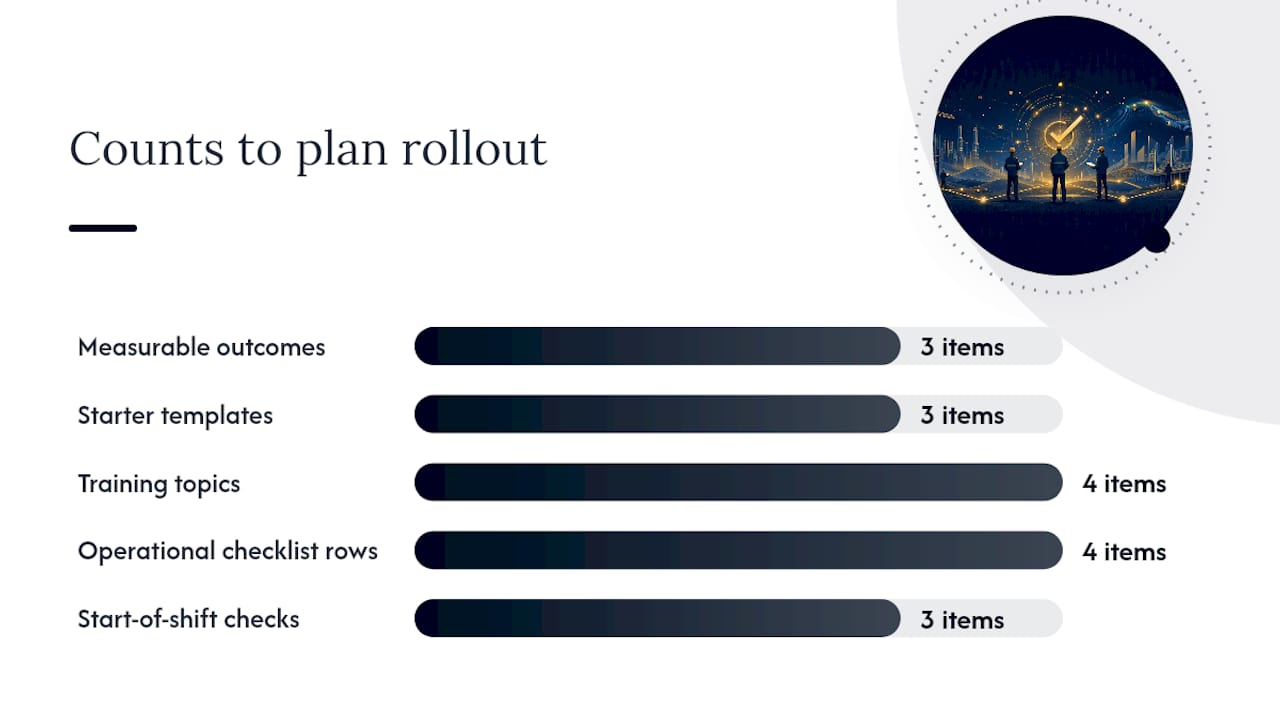
Start with templates that map cleanly onto reports your office already produces. A safety checklist, an EICR-style inspection, and an asset condition update cover most engineering field forms scenarios. Curcle's EICR inspection checklist and PAT testing register templates are useful starting points to adapt rather than build from scratch.
Training needs to cover four things specifically:
- How to read the outbox and what a pending count actually means.
- How to check device storage before a long shift with heavy photo capture.
- How often to back up or export data manually, even on a synced platform.
- What "sync before handover" means when a device changes hands between engineers.
Integration work pays for itself fast. Automating PDF delivery on sync, scheduling CSV exports for compliance records, and linking submitted forms directly to the originating job removes the manual re-typing that eats an office administrator's morning. Webhooks that push completed inspections into accounting or scheduling systems close that loop further.
| Operational area | What to set before rollout |
|---|---|
| Manual sync trigger | Define when an engineer should force a sync rather than wait for auto-sync |
| Device replacement | Confirm outbox is empty before handing a device to another engineer |
| Storage checks | Weekly check on remaining device storage for photo-heavy roles |
| Backup cadence | Set an export schedule independent of the sync itself |
Mandating a simple device check at the start of each shift, confirming battery, storage and an empty outbox, catches most data-loss incidents before they happen rather than after.
Publisher perspective: what building an operations platform for engineers actually teaches you
Some platforms originate from real UK service and engineering businesses that faced the problem of forms filled in on paper or in disconnected apps that never quite made it back to the office intact.
That history shapes a specific bias. Integrated systems, where jobs, assets, compliance records and offline forms sit in one place, cut post-job admin more than any single clever feature does. A form that syncs perfectly but lands in a separate tool from your job scheduling and invoicing just moves the disconnection problem somewhere else.
What engineers should expect from a proper operations platform is unglamorous but non-negotiable: a visible outbox that shows exactly what has not synced yet, photo capture that survives a signal blackout, and automatic mapping of captured data into the PDF or certificate format your compliance work already demands. Anything less is a form tool wearing an operations platform's clothes.
The lesson from watching field teams struggle for years is not that engineers dislike technology. It is that they abandon any tool that makes them do extra work to prove their own job was done properly.
— Luke Herridge
Curcle: one platform instead of a stack of disconnected tools
Certain platforms replace the patchwork of paper forms, disconnected apps and manual re-entry with a single system where offline job forms, job scheduling, asset registers and compliance reporting all sit together. For compliance-heavy trades running EICR, PAT, LOLER or F-Gas work, some platforms enable a form completed with zero signal on site to map automatically into the certificate format clients and auditors expect, with an audit trail intact from capture to delivery.

Multi-site facilities teams and PPM operations can benefit from improved visibility, as the same visibility that helps one engineer's outbox also gives managers a live view across every site and every job in progress. If you want to see how the mobile app, audit trails and compliance workflows work together, the full feature set covers job dispatch, asset tracking, invoicing and reporting in one connected system.
The practical next step is small: pull a free EICR or PAT template to see how a form maps into a finished report, or book a demo of the field service management platform to watch offline capture and sync working on a real device.
Sources
FAQ
Are there offline form templates available?
Yes. Template libraries covering EICR-style inspections, PAT testing registers and general safety checklists exist specifically to shortcut a pilot deployment, including free ones from Curcle built around common compliance formats.
Is there an offline version of Microsoft Forms?
Microsoft Forms is fundamentally a browser-based, connection-dependent tool and does not offer genuine offline data capture with local persistence and queued sync, which is why engineering teams typically look to dedicated offline mobile form platforms instead.
Can I use Jotform offline?
Jotform offers offline capabilities through its mobile app, but as with most web-first platforms, attachment size handling and native offline reliability vary, so it is worth testing large photo uploads specifically before relying on it in the field, per Jotform's own feature documentation.
How do I fill in forms offline on a mobile device?
A genuinely offline-capable app loads the entire form structure to the device in advance, so no connection is needed to open, complete, photograph, sign or save it. The completed submission then sits in a local outbox until signal returns and syncs automatically, which is exactly how some platforms' mobile workflows are built to behave in this way.
What should I test before trusting an offline field app?
Force-close the app mid-submission, attempt a photo capture in airplane mode, and confirm the PDF or report generates correctly once sync completes, the same practical checks recommended in independent reviews of offline form builders.