
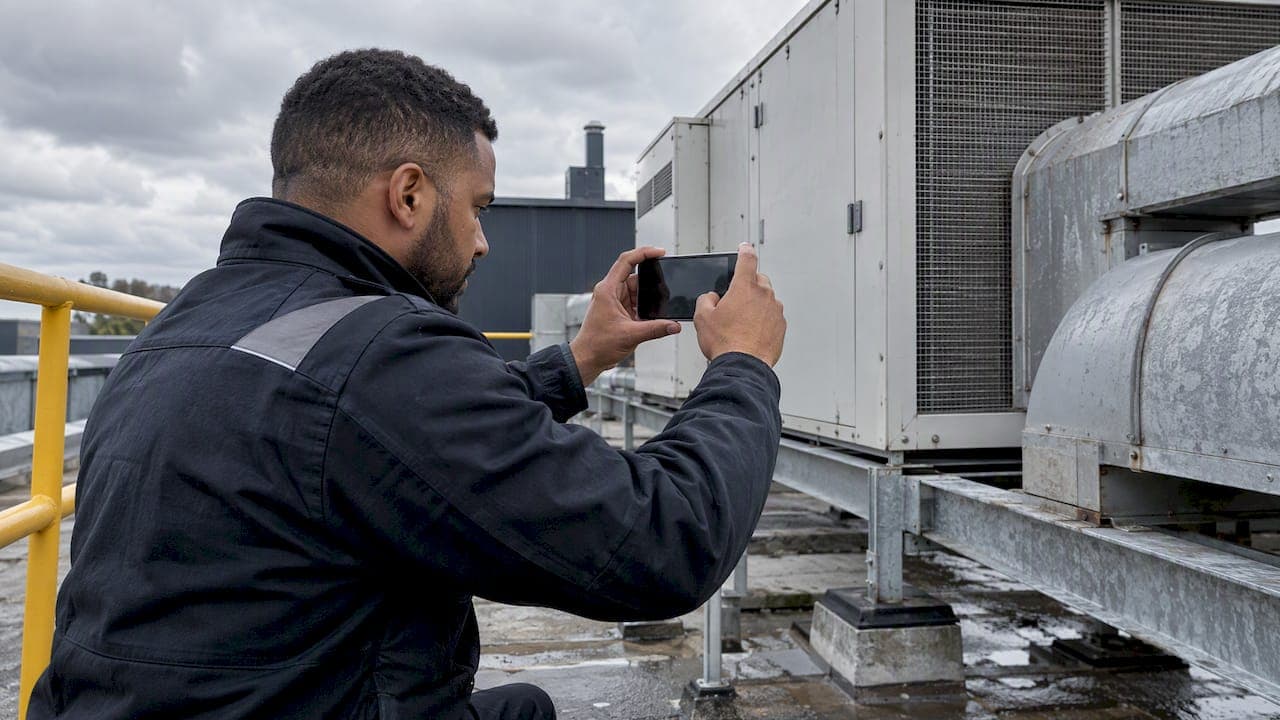
Mobile document capture, for a field service business, means engineers photographing, scanning and completing documents on their phone or tablet at the job, with everything attached automatically to the right job, site and asset. A generic scanner app gives you a PDF in a camera roll. A field service system gives you evidence the office can find, check and send within minutes. This guide covers what to capture, how to capture it well, what to look for in a job photo app and how to keep the files safe.
TL;DR
- Capture at the job, inside the job record. A photo that lives in a personal camera roll is a photo the office will chase later.
- Standardise what "complete" looks like for each job type: before, during and after photos, plate and serial numbers, test readings, signatures.
- Offline capture matters. Plant rooms, basements and rural sites rarely have signal, so the app must store everything and sync later.
- Treat photos as business records: encrypted devices, controlled access, and removal from the handset once synced.
- Connected capture cuts duplicate admin because the same record feeds certificates, invoices and reporting.
Table of Contents
- What mobile document capture means in field service
- What engineers should capture on every job
- Link every capture to the right job and asset
- Capturing clear evidence on site, including offline
- What makes a good job photo app
- Keeping photos and documents safe
- How connected capture reduces admin and improves visibility
- Our perspective
- See it in a connected system
- A practical rollout in four steps
- FAQ
- Sources
What mobile document capture means in field service
Most search results for this phrase describe scanning apps: point the camera at a page, get a clean PDF. That is useful for receipts and forms, but it is only the first step for an engineering or maintenance firm.
In field service the document is rarely a loose page. It is a job sheet, a certificate, a risk assessment, a set of photos, a customer signature, a parts list. Mobile document automation lets field staff create, modify and send documents from a device on the job site, passing job details, parts and hours back to the office so work can be tracked as it happens. The point is not the scan itself. It is that the document arrives already attached to the right customer, site, asset and job.
That difference explains why so many firms outgrow a mix of camera roll, messaging apps and shared folders. The engineer did the work properly, but finding the evidence three months later, when a customer disputes a visit or an auditor asks for a record, takes far longer than the visit did.

What engineers should capture on every job
The best job photo documentation is decided before the engineer arrives, not improvised on site. Agree a short capture standard per job type and build it into the job template so the engineer sees it as a checklist, not a request.
The core set for most visits
- Arrival context: the site, the access point or the area of work, so there is no later argument about where the job was done.
- Before the work: the asset and its condition as found, including any visible defects, damage or pre-existing faults.
- Identification: data plates, serial numbers, model numbers and asset tags, photographed square-on and legible.
- During the work: anything that will be hidden once the job is closed up, such as pipework, cable routes, fixings or sealed joints.
- After the work: the finished installation or repair, plus any readings or test results shown on instruments.
- Paperwork: signed job sheets, customer sign-off, permits and any handwritten notes, captured as images or completed digitally.
Extra evidence for compliance-led work
For certificate-driven trades such as gas, electrical, HVAC and refrigeration, fire safety, lifting equipment and water hygiene, the photo supports the certificate rather than replacing it. Typical supporting evidence includes:
- the appliance, board, unit or lifting accessory being inspected, matched to its register entry;
- readings and test results, photographed in situ when the instrument displays them;
- defects found, with a close-up and a wide shot so the location is clear;
- remedial work completed, shown before and after;
- warning labels or notices applied.
The exact requirements for each certificate type come from the relevant scheme or regulation, so build your templates around those documents and your own quality procedures. The capture standard is your layer on top: it makes sure the evidence exists when someone asks.
Worked example: a commercial kitchen service visit
An engineer attends a commercial kitchen to service a combination oven and check the gas supply. The template prompts for five items: the oven data plate, the ventilation canopy, the isolation valve, the readings taken, and the signed customer sheet. Each photo lands against the oven's asset record at that site. Six months later, when the operator reports a recurring fault, the office opens the asset and sees every visit, every photo and every reading in date order, without ringing anyone.
Link every capture to the right job and asset
A photo with no context is nearly worthless. Three habits fix that.
- Capture inside the job. The engineer opens the job, then takes the photo from within the app. The system attaches it to the job, customer, site and, where relevant, the asset. Nobody types a filename.
- Use asset records. When a site has a register of assets, each with its own history, a photo of a boiler or a fire panel becomes part of that asset's life, not just a single visit.
- Label at the point of capture. A short tag such as "as found", "defect" or "completed" takes a second and saves a lot of sorting later.
This is the principle behind a single connected record: the job, the evidence, the certificate and the invoice all point at the same source of truth. If you want to see how that looks in practice, Curcle's workflows are built around one continuous record from enquiry to invoice.
Capturing clear evidence on site, including offline
Photo quality habits that help later
- Light and angle: shoot square-on to plates and labels, and use the torch in dark plant rooms.
- Two distances: one wide shot for location, one close-up for detail.
- Scale and orientation: include a recognisable reference where size matters.
- Review before leaving: a ten-second check of blurred or dark shots is quicker than a return visit.
- No personal items in frame: avoid capturing people, documents or screens containing personal information unless the job needs it.
Working without signal
Plant rooms, basements, lift shafts, rural properties and large industrial units are exactly where evidence matters and signal does not exist. An app that needs a connection to save a photo or complete a form pushes engineers back to the camera roll and paper. The requirement is simple: capture, form completion and signatures must all work offline, store safely on the device, and sync automatically when the connection returns. Our guide to offline forms for engineers with audit trails goes into how this works and why the audit trail matters.
Close the loop before leaving site
The cheapest moment to fix missing evidence is while the engineer is still standing at the asset. Required fields and mandatory photo steps in the job template mean a job cannot be marked complete with a gap. That also shapes your handover: a job handover process that takes minutes rather than hours depends on the evidence being complete at the point of completion.
What makes a good job photo app
Searching for the best job photo app returns a lot of general scanners and developer toolkits. Those are fine for scanning a receipt. A service business needs to judge a tool on different criteria.
| Criterion | What to look for | Why it matters |
|---|---|---|
| Job and asset linking | Photos attach automatically to the job, site and asset | Evidence is findable without anyone filing it |
| Offline capability | Photos, forms and signatures save without signal and sync later | Covers basements, plant rooms and rural sites |
| Templates and mandatory steps | Capture checklists per job type, with required photos | Consistent evidence from every engineer |
| Certificate generation | Photos and readings flow into certificates and reports | No re-keying from camera roll to paperwork |
| Audit trail | Who captured what, when and on which device | Defends the record in a dispute or audit |
| Role-based access | Office, engineers and managers see what they need | Limits exposure of customer data |
| Integrations | Accounting, payments and vehicle tracking connect | Photos support invoicing and dispatch decisions |
| Reporting | Completion, rework and compliance status are visible | Managers see what needs attention |
Notice what is missing: image filters, fancy cropping, document colour modes. They are pleasant, but they do not decide whether your evidence stands up six months later.
Keeping photos and documents safe
Job photos and certificates often contain personal data: a customer's address, a name on a document, a vehicle, sometimes a person in frame. They also show security details of a site. Handling them carelessly is both a data protection issue and a commercial one.
The UK regulator's guidance on digital photography is practical. The ICO suggests using a smartphone or tablet with an encrypted file system, and where encryption is not a reasonable option, moving images to a secure location and deleting them from the device or memory card as soon as practical. In plain terms for a service firm:
- use company-managed devices with encryption and screen locks, rather than personal phones with mixed-use galleries;
- capture inside the job app, so images go straight to the secure record rather than the shared camera roll;
- avoid sending evidence over personal messaging apps;
- give access by role, so only people who need a job's photos can open them;
- keep an audit trail of who viewed or changed a record.
When documents have to move outside your system, think about how they travel as well as where they sit. Guidance on secure transmission of regulated documents is worth reading before you settle a routine for sending sensitive paperwork.
How long to keep records depends on the type of job, the certificate scheme, your contracts, your insurers and your own retention policy. Set retention per record type, write it down, and make sure your system can apply it consistently rather than relying on people to remember.
How connected capture reduces admin and improves visibility
The real saving from mobile capture is not the scanning. It is everything that no longer happens afterwards.
- No re-keying. Readings, photos and signatures captured on site feed the certificate or report directly.
- No chasing. The office sees a completed job with evidence, rather than ringing an engineer to ask for photos.
- Faster invoicing. When the job record is complete, the invoice can follow without waiting for paperwork to arrive.
- Quicker disputes. A dated, geographically tied record settles questions about what was found and what was done.
- Better oversight. When capture is structured, managers can see which jobs lack evidence, which assets keep failing and where repeat visits come from. Our piece on operational reporting for field service managers covers how to turn that data into first-time-fix improvements.
For firms still on paper or loose files, digital job sheets are usually the first step, and photo capture slots naturally into them.
Our perspective
We built Curcle inside a real UK service and engineering business, so we have lived the problem: a good engineer does the job properly, takes the photos, and then the evidence ends up on a phone, in a message thread or on a clipboard in the van.
Our view is that capture should never be a separate task. It should be part of the job, with every click earning its place. The engineer opens the job, follows the steps, photographs what matters and moves on. The photo is already attached to the right customer, site and asset, and the office sees it the moment it syncs.
We also think compliance should sit in the backbone of the platform rather than being bolted on. When photos, readings and signatures feed straight into certificates and audit-ready exports, there is no second step where evidence can go missing. Our approach to AI follows the same thinking: it should help people see what needs attention, while humans keep the judgement.
If your evidence currently lives in five places, the answer is rarely a better scanner. It is one connected record that field and office teams both trust.
Luke Herridge
See it in a connected system
Curcle is a field service platform for UK engineering, maintenance, facilities and compliance-led businesses. Engineers capture photos, forms and signatures in an offline-capable mobile app, and the evidence sits against the job, site and asset alongside certificates, invoicing, stock and reporting.

Plans start from £99 per month for Starter, £249 per month for Professional and £499 per month for Business, with Enterprise available on request. You can compare them on the Curcle pricing page, or look at the features overview to see how capture connects to the rest of the job.
A practical rollout in four steps
- Write the capture standard. For each job type, list the photos, readings and signatures that make a job complete. Keep it short enough that engineers will follow it.
- Put it in the template. Make key photos mandatory, so nothing relies on memory.
- Secure the devices. Encrypted, company-managed phones or tablets, with role-based access to the records.
- Review a sample weekly. Check a handful of completed jobs for photo quality and completeness, and feed the findings back to the team. Within a few weeks the standard becomes habit.
FAQ
Can I just use a free scanner app for job photos and certificates?
Free scanner apps are fine for one-off receipts and forms. For service work they leave you with files that someone must rename, sort and attach to the right job by hand. A field service system captures evidence inside the job, so it is linked to the customer, site and asset from the start.
What photos should an engineer take on every job?
At minimum: the area before work, asset identification plates, anything that will be hidden once the job is closed, the completed work, and any signed paperwork. For certificate work, add readings and any defects with a wide and a close-up shot. Build the list into your job template so it is the same for every engineer.
Does photo capture work without mobile signal?
It should. A suitable app saves photos, forms and signatures on the device and syncs when the connection returns. Curcle's mobile engineer app is offline capable, which suits plant rooms, basements and rural sites.
How should we protect job photos that contain personal data?
Use encrypted, company-managed devices, capture inside the job app rather than a personal camera roll, and restrict access by role. The ICO advises that where encryption is not reasonable, images should be moved to a secure location and deleted from the device as soon as practical.
Sources
- Step Up Your Field Service Automation with Mobile Documents
- Encryption scenarios | ICO
- Secure Online Fax for Regulated Documents