

Digital job sheets replace paper worksheets with a mobile app that captures job details, photos, signatures and timestamps in real time, giving field service and trade businesses faster invoicing and a defensible audit trail. For most UK operators, the switch pays for itself within months through fewer disputes and less admin. Platforms built inside a working service business show what a well-designed rollout can look like.
TL;DR:
- Digital job sheets offer faster invoicing by enabling real-time syncing and signature capture, reducing delays caused by lost or illegible paper forms.
- Core features include offline mode, asset linking, compliance templates, photo evidence, signatures, timestamps, GPS verification, and tailored checklists for specific trade types.
- Proper pilot testing over four to six weeks across routine and compliance-heavy jobs helps identify workflow flexibility, offline reliability, data exportability, and user acceptance.
- Implementation costs are typically short onboarding periods with prices based on per-user subscriptions or tiered plans, but data migration and custom templates often require additional effort.
- Integration with accounting, asset management, and audit systems enhances overall efficiency, accuracy, and compliance proof, especially when automating data transfer and record retention.
Table of Contents
- Why paper job sheets cost time, money and compliance certainty
- What core features do digital job sheets need?
- How do digital job sheets improve cashflow and compliance?
- How do you choose and pilot digital job sheets?
- What should you budget for setup and pricing?
- How do digital job sheets connect to accounts, assets and audits?
- What has Curcle learned from building this inside a real trade business?
- Common mistakes when rolling out digital job sheets
- See how Curcle fits the checklist above
- Sources
- FAQ
Why paper job sheets cost time, money and compliance certainty
Paper job sheets fail in predictable ways, and most managers have lived through every one of them. An engineer's handwriting is unreadable back at the office, so the invoice waits until someone can decode it or ring the customer to check. A signed sheet goes missing between the van and the filing cabinet, and six months later it's the only thing standing between you and a warranty dispute.
The common failure points include:
- Lost or damaged paper sheets, especially on outdoor or multi-site jobs
- Illegible handwriting that delays data entry and invoicing
- Missing customer signatures when a dispute arises weeks later
- Duplicate or inconsistent job numbering across engineers
- No timestamp proof for compliance checks like gas safety or electrical testing
Each of these turns into a cashflow problem. An invoice that should go out same-day instead waits three or four days for someone to transcribe a job sheet, and every day of delay pushes your debtor days up. For compliance-led trades, a missing signature or photo isn't just an admin headache. It's the difference between passing an audit and explaining to a client why you can't prove the work happened.
What core features do digital job sheets need?
A digital job sheet app should do more than replace a clipboard with a screen. Field teams need something that works in a signal blackspot as reliably as it does in the office, and office teams need the data to arrive clean enough to invoice without a second pass. The features that actually matter fall into five groups:
- Custom forms and job-specific checklists that match the trade, whether that's a boiler service, an EICR inspection, or a routine PPM visit, so engineers aren't filling in fields that don't apply to the job.
- Photo capture, digital signatures, timestamps and GPS verification, which together create the proof of work that used to depend on a legible paper trail.
- Offline mode with automatic sync, essential for basements, rural sites, and anywhere mobile signal drops out mid-job.
- Asset linking, parts usage and time logging, so every job sheet ties back to a specific piece of equipment's service history rather than sitting as an isolated record.
- Pre-built compliance templates, covering checks like CP12, EICR and LOLER, so engineers aren't building forms from scratch for statutory work.
Simple task apps like Microsoft To Do show how far basic list capture and cross-device sync can go for everyday checklists, but a proper field service tool needs to go further, linking that captured data to assets, invoices and audit records rather than leaving it as a standalone list.
How do digital job sheets improve cashflow and compliance?
Faster invoicing is the benefit most owners notice first, because it hits the bank balance directly. When a job sheet syncs the moment an engineer finishes and signs off, the office can raise an invoice that afternoon rather than waiting for paperwork to physically arrive. Slow invoicing is one of the more avoidable drains on small business liquidity, and tightening that gap is one of the simplest cashflow management levers available to a trade business.
The knock-on benefits stack up:
- Fewer payment disputes, because a signed, timestamped, photo-backed job sheet is hard to argue with
- A built-in audit trail for compliance inspections, insurance claims and warranty queries
- Higher first-time fix rates, since engineers can see an asset's full service history before they arrive
- Lower admin time overall, because someone isn't manually re-keying handwritten notes into a spreadsheet
Pro Tip: Track "time from job completion to invoice sent" as your single clearest before-and-after metric. It's the number that best captures whether digital job sheets are actually working, and it's the easiest one to show a sceptical finance director.
Stronger documentation also feeds into commercial work beyond the day-to-day. Trades that can show a clean history of completed jobs and compliance checks tend to write stronger tender responses when bidding for contract or facilities management work, because the evidence of consistent delivery is already sitting in the system.
How do you choose and pilot digital job sheets?
Picking the wrong system is expensive in a different way to paper. You lose months of adoption effort if engineers quietly go back to their old habits because the app is slower than a pen. Run the evaluation properly before committing.
- Score vendors against six criteria: mobile usability, offline reliability, asset linking, compliance template availability, reporting depth, and data security.
- Choose two or three job types for a pilot, ideally a mix of routine work and one compliance-heavy job type like an EICR or LOLER inspection.
- Set three KPIs before you start: time-to-invoice, admin hours per week, and first-time fix rate.
- Run the pilot for four to six weeks, long enough to smooth out the initial learning curve without dragging the decision out.
- Ask vendors directly: what happens with no signal for a full day? Can we export our own data if we leave? How long does template setup actually take?
- Roll out in stages, starting with a small team, running short training sessions, and building a feedback loop before pushing company-wide.
Watch for red flags during trials: rigid workflows that can't be adjusted without a support ticket, offline mode that loses data rather than queuing it, and no straightforward way to export your own records. Lightweight tools like Trello are worth trying during a pilot phase precisely because their templates and visual boards make it easy to test a workflow before committing to a full platform.
What should you budget for setup and pricing?
Most digital job sheet platforms onboard in days rather than months, though the timeline stretches if you're migrating years of historical job data or building custom compliance templates from scratch. A business starting fresh, with a handful of standard forms, can often be live within a week or two.
Pricing generally follows one of two shapes:
- Per-user, per-month pricing, which suits smaller trade businesses that want costs to scale directly with headcount
- Tiered feature plans, better suited to larger or multi-site operations that need reporting, integrations or compliance modules bundled in
Data migration and template authoring are the two costs owners most often underestimate. If you're moving five years of asset history from spreadsheets, factor in the time to clean that data before it goes in. For ROI, measure the first three to six months against your baseline: reduced weekly admin hours and shortened invoice cycles are the two figures that show up fastest and matter most to a finance director signing off the subscription.
How do digital job sheets connect to accounts, assets and audits?
A job sheet sitting in isolation is only half useful. The value multiplies once it talks to the rest of the business, which is why integration and compliance checks deserve as much attention as the mobile app itself.
- Accountancy and invoicing integrations stop double entry, so a completed job sheet flows straight into an invoice without anyone retyping line items.
- Asset record linking turns individual job sheets into a running maintenance history for each piece of equipment, which is what makes recurring PPM scheduling actually work.
- Retention of timestamps, photos and signatures needs to be automatic and long-term, since compliance audits can ask for records from months or years earlier.
- Security and permissions should be a standard question for any vendor: who can see customer data, how is it stored, and what happens to it if you cancel.
Automation that routes a job straight to the right engineer and flags status changes removes a lot of the manual chasing that eats into a coordinator's day, a pattern visible in general workflow tools like ClickUp as much as in dedicated field service software.
What has Curcle learned from building this inside a real trade business?
Curcle wasn't designed on a whiteboard by people who'd never run a job. It grew out of a working UK service and engineering business, which shapes how the platform handles jobs, assets, compliance, stock, quoting and invoicing as one connected system rather than a stack of disconnected tools bolted together.
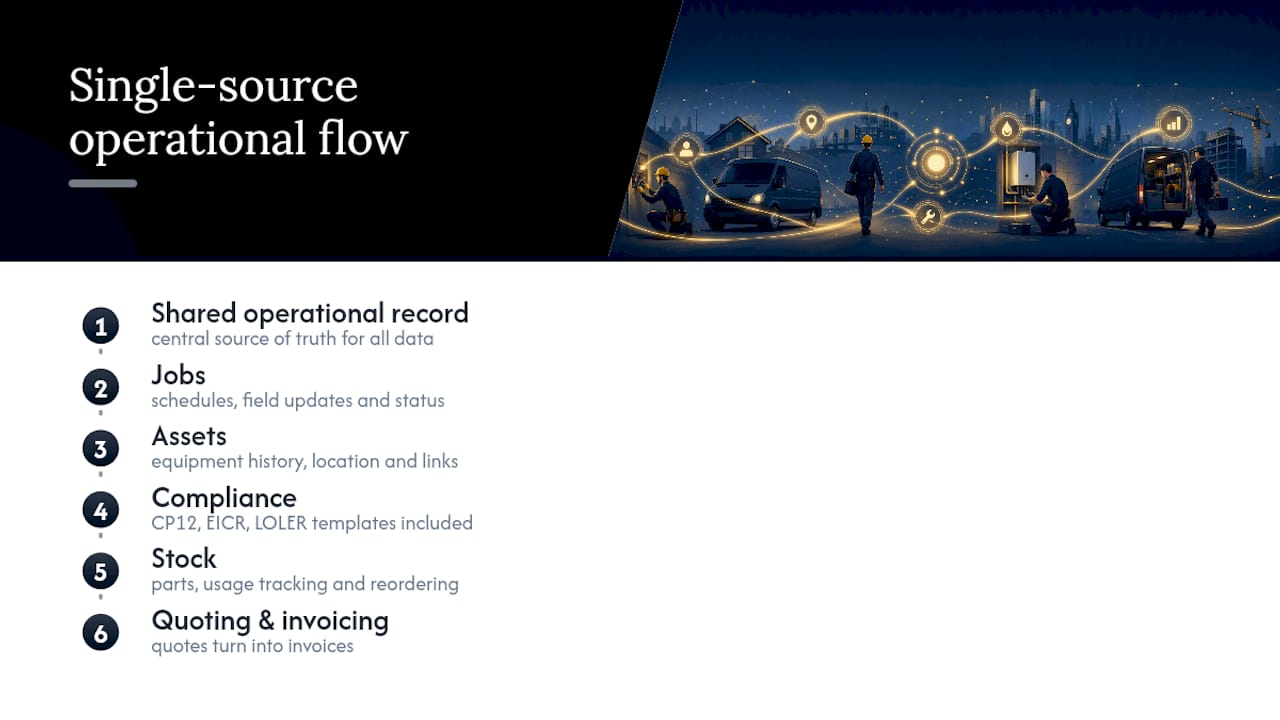
That background shows up most clearly in the free compliance templates Curcle provides for CP12, EICR and LOLER, built to cut the time compliance-heavy trades spend preparing for an audit. The practical lesson worth repeating to any team building or buying forms: keep them short. A job sheet with forty fields gets rushed or skipped; one with the eight fields that actually matter gets filled in properly, every time.
Common mistakes when rolling out digital job sheets
The biggest mistake is overloading forms because someone wants to capture everything at once. Start minimal, then add fields only when a genuine gap shows up in the data. Push the heavy lifting, templates, integrations, historical data cleanup, onto the back office during rollout, not onto engineers already stretched between jobs. And keep the field team bought in with a simple, fast interface. An app engineers resent gets worked around within a fortnight, no matter how good the reporting dashboard looks to the office.
— Luke Herridge
See how Curcle fits the checklist above
Some platforms offer an alternative to stitching together a generic task app and a separate invoicing tool by providing one system that covers jobs, assets, compliance templates and an offline-capable mobile app, so nothing gets lost in the handoff between field and office.

Run through the evaluation criteria from earlier, mobile usability, offline reliability, asset linking, compliance coverage, reporting, against Curcle's field service platform and you'll find most boxes already ticked. Compliance-heavy trades can start with the free CP12, EICR and LOLER templates today, no commitment required, to see how much time they save before adopting anything else. When you're ready to see the full system in action, book a product tour or request a quote and get a straight answer on what it would take to move your team off paper.
Sources
For general task capture tips, see Microsoft To Do and Trello. For a market overview, see Comparesoft's job sheet software list.
FAQ
Is there a free job sheet app available?
Some general task apps like Microsoft To Do offer free tiers for basic list capture, but dedicated field service platforms typically require a paid subscription. Curcle offers free compliance templates for CP12, EICR and LOLER at no cost, without needing a full platform sign-up.
What is the difference between a task sheet and a job sheet?
A task sheet usually tracks a general to-do list without customer or asset context, while a job sheet records the full details of a specific piece of work, including customer sign-off, materials used, and time spent.
How do I create a digital job sheet?
Start by mapping your paper form's fields into a mobile app, keeping only the fields engineers actually use, then add photo capture, a signature field, and GPS timestamping before piloting it on a handful of live jobs.
What are the best job portals in the UK?
This depends on whether you mean recruitment job boards or field service management platforms; for the latter, look at vendors offering offline mobile apps, asset linking and built-in compliance templates rather than general-purpose tools.