

When an engineer scans a QR tag and it opens the asset's live record inside your field service management platform, complete with certificates, job history and a ready-to-populate work order, you've got QR code asset tagging working as it should. That single scan can also spin up a new work order, launch a preventative maintenance checklist, or pull up the last compliance certificate on file. The outcome is fewer wrong-asset call-outs, faster inspections, and a timestamped audit trail that stands up to scrutiny.
Get it right and the operational gains show up fast:
- Work orders reference the correct asset every time, because the scan pulls the record rather than relying on a technician typing an asset number from memory.
- Inspections take less time when the checklist, last service date and outstanding defects are already on-screen.
- Every scan logs who, where and when, building compliance evidence such as Gas Safe, EICR, PAT or LOLER records without extra paperwork.
- Curcle's field service management software treats the scan as a data event, not just a lookup, so the asset record updates the moment the engineer taps their phone.
Key Takeaways
Reliable QR code asset tagging depends on dynamic links, environment-matched labels, and a scan destination engineers actually want to use.
| Point | Details |
|---|---|
| Scan opens the live record | A scan should update the asset profile, not just display a static description. |
| Choose dynamic links for long-lived assets | Dynamic links survive FSM migrations; static links break if the destination system changes. |
| Match label to environment | Use polyester laminate, aluminium or ceramic-coated steel depending on heat, moisture and abrasion. |
| Pilot before full rollout | Test with one team, track scans per asset weekly, and fix the workflow before scaling. |
| Curcle ties scans to compliance evidence | Curcle's FSM platform links each scan to work orders, certificates and audit trails, reporting strong invoice collection rates among its user base. |
Table of Contents
- How scan-to-record works inside an FSM
- Implementation checklist: from asset register to live tags
- Choosing labels that survive the field, not the office
- Getting engineers to scan without being told to
- Security, data ownership and avoiding a broken-tag disaster
- Proving the rollout worked
- What actually goes wrong on the ground
- Getting scan-to-record working with Curcle
- Frequently asked questions
- Sources
How scan-to-record works inside an FSM
A QR tag doesn't store your asset data directly. It encodes a short URL or unique identifier that the FSM app resolves back to a specific record the moment it's scanned. That distinction matters more than most teams realise during rollout, because it determines whether your tags survive a software change five years from now.
Where the scan lands depends on how you've configured it. Common destinations include:
- The full asset profile, showing service history, warranty status and attached documents.
- A pre-populated work order, with the asset, site and last known fault already filled in.
- A preventative maintenance checklist tied to that specific equipment type.
- A certificate view, showing the current EICR, LOLER or F-Gas record and its expiry date.
For assets that will sit on-site for years, a dynamic link is usually the safer bet. A static QR code hard-codes the destination at print time. So, if you ever migrate systems, every physical tag becomes dead weight. A dynamic link points to a redirect you control, meaning the destination can be updated without touching a single sticker.
Implementation checklist: from asset register to live tags
Deploying QR tags reliably takes a defined sequence, not a rush job with a label printer and good intentions.
- Export a clean asset register. Every asset needs a unique ID and the metadata your FSM actually uses (site, category, install date, compliance schedule).
- Bulk-generate QR codes from that CSV. Map each code to its asset ID automatically rather than pasting IDs by hand, which is where most mismatches start.
- Decide static or dynamic before you print. Test both on a small batch if you're unsure, then commit to one policy across the fleet.
- Print on the right substrate. Match the label to the environment; a boiler room and a rooftop unit need different materials entirely.
- Apply and photograph placement. A quick photo attached to the asset record saves a return visit later when someone can't find the tag.
- Run QA sampling. Scan roughly one in ten tags after application to catch print faults or misapplied codes early, a habit that meaningfully cuts reprint costs over a full rollout.
- Configure scan destinations and quick actions. Set up scan-to-create-work-order, checklist launches and certificate views before go-live, not after.
- Pilot with one team first. Measure scans-per-asset and work-order accuracy for two to four weeks, then adjust before wider rollout.
Pro Tip: Don't configure every asset type to open the same destination. A pump might need a fault-logging shortcut; a fire extinguisher might just need its inspection certificate front and centre.
Choosing labels that survive the field, not the office
The tag that peels off after three months in a plant room defeats the entire project. Match the substrate to where the asset actually lives: polyester laminate for indoor equipment with moderate handling, aluminium for outdoor or high-wear locations, and ceramic-coated steel for anything facing extreme heat, chemicals or repeated pressure washing. Durability is usually what decides whether a rollout sticks, far more than which QR generator you used.
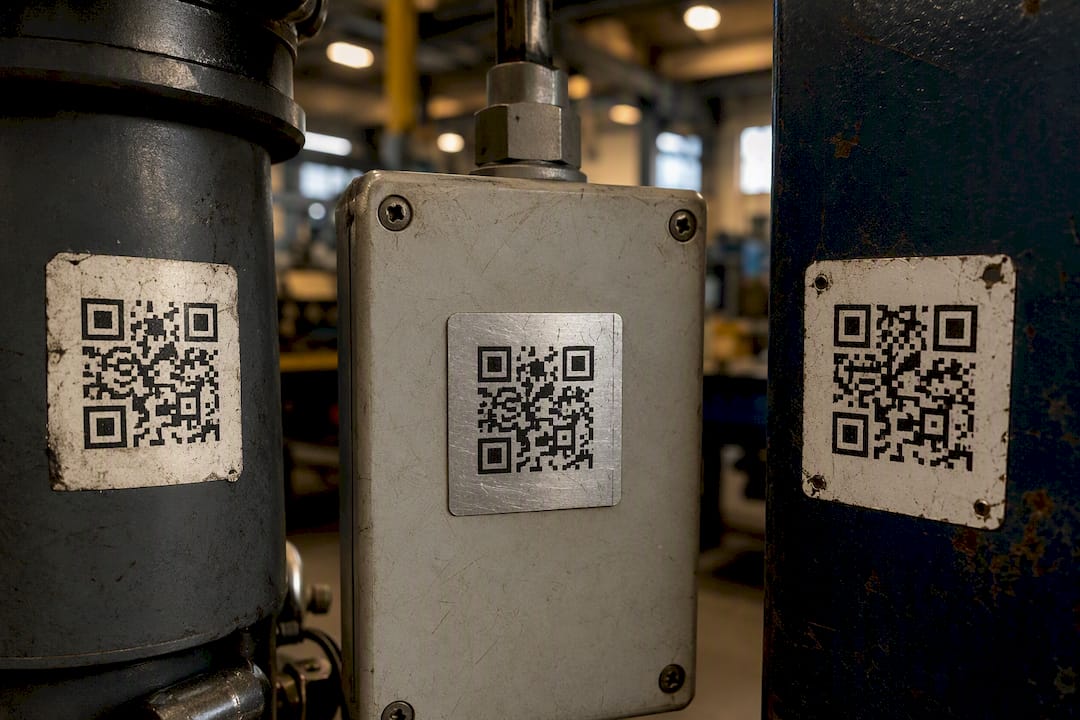
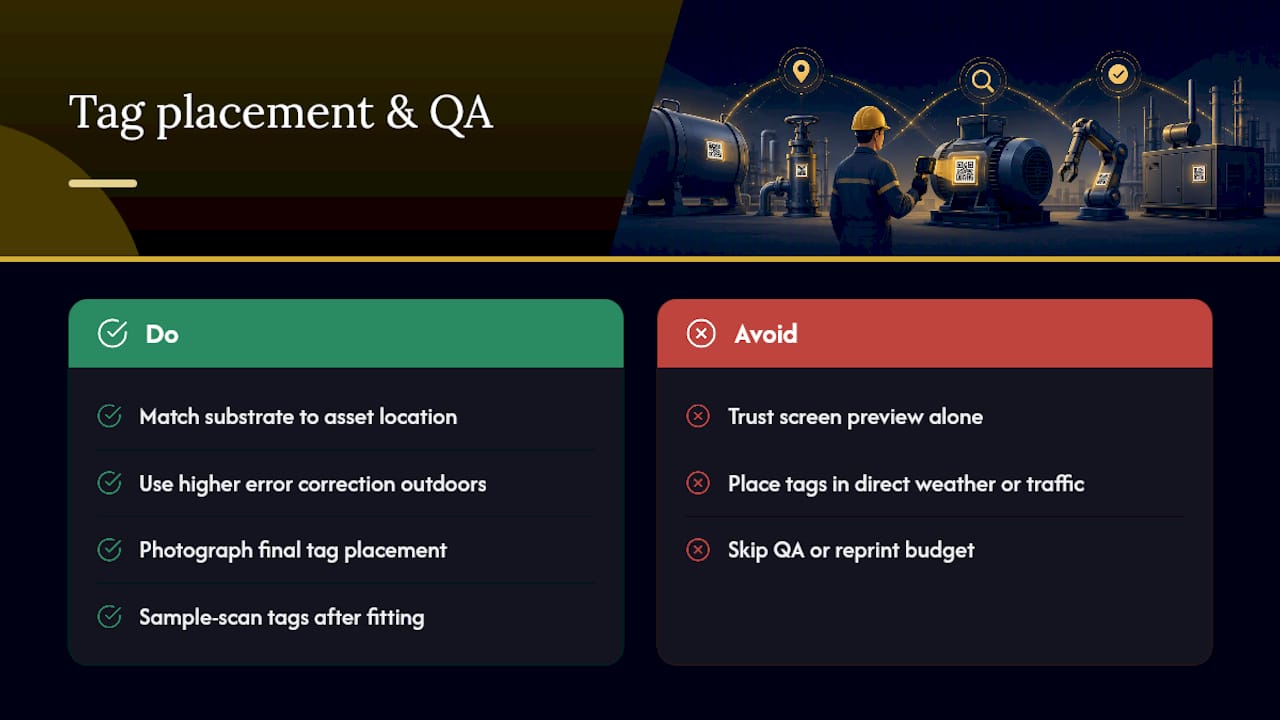
Print settings matter as much as material. Use a higher error correction level for anything outdoors or exposed to abrasion, and check contrast under real lighting rather than trusting a screen preview.
Placement should balance visibility with protection: somewhere an engineer can scan without contorting themselves, but sheltered from direct weather or foot traffic where possible. Photograph the final position into the asset record so the next visit doesn't turn into a search party. Build a small QA routine into your rollout, sample scanning a portion of tags after fitting, and keep a modest reprint budget on hand for the inevitable few that fail early.
Getting engineers to scan without being told to
The technology rarely fails first; the workflow does. Engineers adopt scanning when it saves them a step they'd otherwise take manually, not when it's bolted on as one more compliance task. Tie the scan to something they already do daily, like opening the job sheet or logging a fault, and adoption follows naturally.
A few things worth building in from day one:
- Make scan-to-open-record the default action for the most common job types, so it replaces a manual lookup rather than adding to it.
- Tailor what different roles see: full asset history and certificates for technicians, a simple fault-reporting form for non-maintenance staff who just need to flag something.
- Run a short pilot with one team, pair it with brief field shadowing rather than a classroom session, and track scans per active asset weekly during that window.
- Use a working template, such as Curcle's PAT testing register, to map out the workflow before you commit to a full rollout.
Pro Tip: If your pilot team isn't scanning within the first week, the destination is wrong, not the engineers. Fix the workflow before you blame adoption.
Security, data ownership and avoiding a broken-tag disaster
Static QR codes are fine for genuinely disposable or short-lived assets. For anything with a multi-year service life, dynamic links give you room to migrate between systems without relabelling every piece of equipment on site, since the physical tag stays fixed while the destination behind it can change.
Before committing to a vendor, check the small print:
- What happens to your redirect links if you cancel the subscription? Some providers deactivate them immediately, breaking every tag you've printed.
- Can you export scan logs in full, including timestamps and user data, for audit purposes?
- Does the platform support API or webhook integration with your existing FSM, or will scans sit in a separate silo?
- Test cancellation risk directly: generate a handful of trial codes, then cancel and see whether they still resolve.
Proving the rollout worked
Stakeholders want numbers, not enthusiasm. Track work-order accuracy against your pre-rollout baseline, where wrong-asset job cards were logged manually. Measure time saved at both job creation and completion, since scanning cuts admin at both ends. Track what percentage of assets have a valid certificate and scan log attached, the actual audit evidence a compliance inspector will ask for.
Rollouts that bulk-generate codes directly from the asset register and pair them with a defined pilot tend to see meaningful reconciliation time savings within a single quarter, rather than dragging out over a year of piecemeal tagging.
Watch adoption too: scans per active asset per week is the leading indicator that tells you whether the workflow has actually stuck, weeks before the compliance metrics catch up.
What actually goes wrong on the ground
Most failed rollouts trace back to two things: the wrong label for the environment, or a scan that opens something engineers don't need. Skipping a pilot is the third classic mistake, teams print thousands of tags before learning the destination is wrong.
The fix that works fastest is ruthlessly simple: make the scan save time on a task the engineer already does. Everything else, substrate, placement, dynamic links, follows from getting that one decision right.
Getting scan-to-record working with Curcle
Curcle is built around exactly this workflow: bulk QR generation from your asset register, an offline-capable mobile app so scans work in basements and plant rooms with no signal, and scan-to-work-order behaviour that turns a tap into a pre-populated job card. Certificates, PM checklists and compliance evidence sit against the same asset record the scan opens.
Curcle's compliance inspection tools generate the audit trail this whole approach depends on, and the platform's own operational data shows a 95% invoice collection rate among businesses running compliance-heavy job scheduling through it. If you want to test the workflow before committing anything, start with the free PAT testing register template on a small batch of assets, then book a look at the full product tour to see scan-to-record configured for your own asset types.
Frequently asked questions
Does QR code asset tagging replace barcode asset tracking? Not entirely. Barcode labels for equipment still work for simple lookups, but QR codes carry more data capacity and, when wired into an FSM, can trigger actions like opening a work order rather than just identifying an item.
Can I use QR code inventory management alongside compliance certificates? Yes. The same scan that opens an asset's inventory status can surface its current EICR, LOLER or PAT certificate, provided your FSM links documents to the asset record rather than storing them separately.
What's the biggest risk with a QR code tagging system? Vendor lock-in on dynamic links. If a provider cancels your redirect service, every printed tag stops resolving. Check exportability and cancellation terms before rollout.
How many QR asset labels should I print for a pilot? Enough to cover one team's full asset list, typically 50 to 150 tags, so you get a realistic read on scan behaviour without committing your entire fleet upfront.
Sources
For substrate selection and durability trade-offs, see ID Asset Labels' datamatrix guidance. For workflow design and adoption tactics, Handy Labels' industrial asset-label guidance is a useful reference. For a broader look at scan-to-CMMS behaviour, read Oxmaint's QR code asset tagging guide.
- ID Asset Labels — datamatrix asset labels guidance
- Handy Labels — industrial asset-label guidance
- Oxmaint — QR code asset tagging with CMMS guide