

A job template should guarantee consistent, auditable work records and turn scheduling into a one-click task rather than a fresh negotiation every time. Get the fields, checklists, and safety steps right once, and every future booking inherits them automatically. The first move is not to build a library of fifty templates: pick one repeatable workflow, such as a PPM visit or an EICR inspection, and pilot it properly before you scale, focusing on effective implementation.
TL;DR:
- Designing templates around specific workflows and choosing a high-volume, low-risk job type for initial pilots leads to better field adoption and usefulness.
- Embedding safety checks, proof evidence, and exception handling at the step level ensures thorough documentation and reduces overlooked hazards and issues.
- Starting with a minimal set of mandatory fields focused on billing and compliance prevents technician disengagement and improves data accuracy.
- Linking templates to asset records and automating history retrieval improves billing accuracy, warranty tracking, and job efficiency.
- Employing role-based permissions and a structured review process with one owner enhances template relevance and longevity without bureaucratic delays.
Table of Contents
- Designing a job template that actually gets used in the field
- Sample job template fields you can copy today
- Building safety and proof-of-work into the template itself
- Rolling out templates without breaking your crews' trust
- How Curcle applies this in a live operations platform
- What I've seen go wrong when teams roll out templates
- Ready to pilot your first template? Start here
- Sources
Designing a job template that actually gets used in the field
Most job templates fail for the same reason: someone builds them at a desk without asking what a technician does under time pressure, on a bad phone signal, halfway up a ladder. Good job template design starts with the operational decisions, not the form fields.
Predefine the scheduling metadata before you touch the checklist. That means a fixed job title convention, job type, default priority, expected duration, and travel buffers either side. Job templates that prefill this information let a new job go from creation to dispatch in one click, because the scheduler already knows how long to block and which team qualifies.
Then decide, field by field, what's mandatory and what's optional. Billing and compliance data (PO numbers, meter readings, parts used) should be locked as mandatory, because technicians commonly skip anything optional when they're rushing to the next job. Everything else can stay flexible.
A few design habits separate templates that survive contact with a real crew from ones that get bypassed within a fortnight:
- Use drop-downs and pre-set lists for job type, fault category and materials instead of free text.
- Add conditional fields that only appear when relevant, so a routine service visit doesn't show hazard fields meant for confined-space work.
- Build in a photo slot at each critical step, not just one generic "attach evidence" field at the end.
- Link every template to the asset register, site record and SLA it belongs to, so dispatch pulls correct history automatically.
- Restrict who can edit template structure through role-based permissions, separate from who can simply use a template on a job.
Pro Tip: Build your first template around your highest-volume job type, not your most complex one. You'll learn more from watching twenty technicians use a simple template badly than from watching two use a complex one well.
Sample job template fields you can copy today
Rather than design from scratch, adapt a proven field set. Here are three starting structures, one for planned maintenance, one for reactive repair, and one for statutory inspection, that cover the majority of field-service work.
- Planned preventative maintenance (PPM) template: asset link (equipment ID and site), step-by-step checklist tied to the manufacturer schedule, readings fields (pressure, temperature, voltage as applicable), parts-used list with stock codes, and a next-service-due date that auto-populates the following visit.
- Reactive repair visit template: fault code selection from a controlled list, diagnosis notes field, parts consumed with quantity, before-and-after photos, customer-facing summary field, and billing fields (labour time, call-out type, warranty flag).
- Inspection or certificate template (for work like EICR, LOLER or gas safety): mandatory readings against the relevant standard, required photo evidence at fixed points in the process, an attestation statement the engineer signs digitally, and a separate reviewer field for anyone who needs to countersign before the certificate issues.
The structure stays the same across trades. What changes is complexity. An HVAC PPM template might need a dozen readings fields; a simple boiler service might need two. Electrical inspection templates typically carry heavier attestation and reviewer requirements because certificates carry legal weight the moment they're signed. Job templates that attach material lists directly to the asset also keep billing and warranty records accurate, since the parts a technician actually used are logged against the right equipment, not just the job number.
Building safety and proof-of-work into the template itself
A checklist that exists separately from the job template gets ignored. One embedded inside it, with proof gates that block submission, gets followed because there's no other way to close the job.
Start by breaking the job into several discrete action steps to ensure thorough coverage without overloading. That's granular enough to catch problems but not so fine that engineers start skipping steps out of frustration. For each step, attach the specific proof required, whether that's a photo, a reading, or a written note, rather than one catch-all evidence field at the end of the form.
Safety fields belong at the step level too. Following job safety analysis best practice, each step that carries risk should list the hazard, the control chosen from the hierarchy of controls (elimination, substitution, engineering controls, administrative controls, PPE, in that order of preference), and a named owner responsible for confirming the control is in place before work continues.
Build in exception handling from the start. Real jobs deviate from the plan constantly; parts arrive damaged, access is blocked, a reading falls outside tolerance. A template without an exception field forces technicians to bury the problem in a free-text note nobody reads until it's too late.
- Use pre-submit validation to physically block job closeout if required proof is missing.
- Give every exception a follow-up owner, not just a flag.
- Require a named signoff before the job status changes to complete.
- Keep the JSA fields visible throughout the job, not just at the start.
A well-built proof-of-work checklist defines steps, required evidence, exceptions, and a named reviewer before it's rolled out, and a closeout record needs to answer nine specific questions: what was done, which asset was involved, what proof was required, what was actually captured, what exceptions remain, who reviewed the job, and what the back office still needs to action.
Rolling out templates without breaking your crews' trust
Template governance sounds bureaucratic until you've watched a template quietly drift out of date for eight months because nobody owned it. A lightweight process beats a heavy one that nobody follows.
- Pick one workflow to pilot. Choose something high-volume and low-risk, run it with two crews for two to four weeks, and set a clear success measure before you start, such as proof completeness above a fixed threshold.
- Name a template owner. One person, not a committee, holds edit rights and fields change requests from the field.
- Set a review cadence. Monthly is usually enough for stable trades; review sooner if you're onboarding new equipment types or a new compliance standard.
- Track outcomes, not just adoption. Watch proof completeness, average review time, first-time fix rate and callback rate. If callbacks fall after rollout, the template is doing its job.
Templates that succeed tend to share one trait: they were piloted on a single workflow before anyone tried to scale them, with a named owner reviewing feedback on a set schedule rather than waiting for complaints to surface problems.
Pro Tip: Ask your pilot crews what they'd delete from the template, not just what they'd add. Technicians are far better at spotting friction than they are at requesting new fields.
How Curcle applies this in a live operations platform
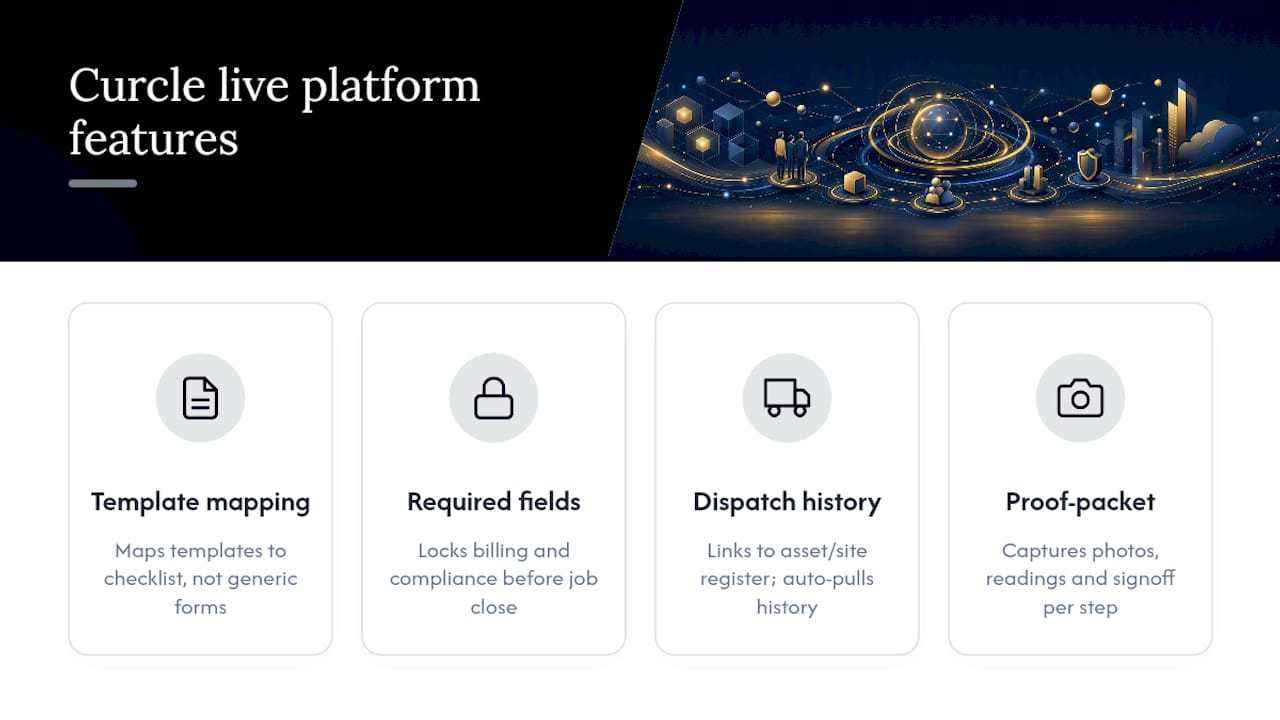
Curcle was built inside a real UK service and engineering business, which is why its template structure maps directly onto the checklist above rather than a generic form builder bolted onto scheduling software. Required fields lock billing and compliance data before a job can close. Templates link directly to the asset and site register, so dispatch pulls history automatically instead of relying on a technician's memory. Scheduling shortcuts apply a template from the asset list, the calendar, or a new-job flow in one action.
Proof-packet closeout follows the same logic as the checklist here: photos, readings and signoff are captured against each step, not bundled into one generic upload. Operations teams can start from Curcle's free compliance templates for CP12, EICR and LOLER work, then review the platform tour to see how AI-assisted suggestions support technicians without ever overriding their judgement.
What I've seen go wrong when teams roll out templates
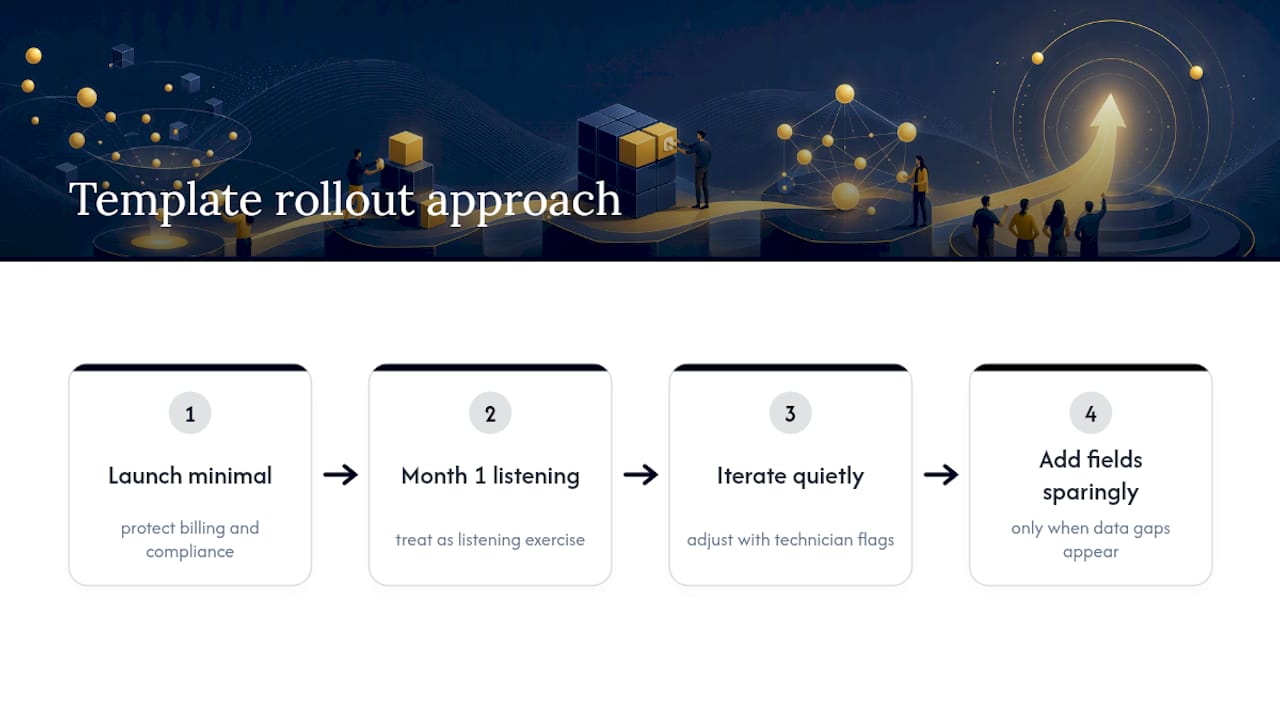
The most common mistake isn't a badly designed template. It's a well-designed one made mandatory in every field, all at once. Technicians disengage fast when a simple job demands fifteen required entries, and disengagement shows up as rushed, inaccurate data rather than outright refusal.
The fix is boring but effective: launch with the smallest field set that protects billing and compliance, then add fields only when a genuine gap shows up in the data. Treat the first month as a listening exercise, not a rollout to defend. Templates that survive are the ones operations teams keep adjusting quietly, based on what technicians actually flag, rather than the ones locked down and left alone.
— Luke Herridge
Ready to pilot your first template? Start here
Curcle turns the checklist above into working software rather than a document nobody opens twice. Where a spreadsheet or paper form leaves compliance data scattered across job sheets, Curcle keeps required fields, asset links and proof capture inside one system your office and field teams both see in real time.

A sensible evaluation takes three steps: build one template for your highest-volume job type, run it with two crews for a few weeks, then review proof completeness and callback rate before deciding whether to expand it. When you book a demo, ask specifically to see template creation, mobile proof capture offline, and how compliance reporting rolls up across sites. Curcle's free compliance templates give you a starting point for CP12, EICR or LOLER work without committing to anything, and the product tour walks through the mechanics before you book a call. If you're ready to see the full platform behind the checklist, visit the field service management software page and start your pilot.
Sources
For deeper detail on the mechanics covered above, the following resources are worth bookmarking:
- How to Build a Field Service Proof-of-Work Checklist | CoSkip
- Job Safety Analysis Template: How to Build One That Actually Prevents Incidents | Field1st
- How to Set Up & Use Job Templates | Field Aware Help Center