

Engineer scheduling software automates job assignment, routing and real-time updates, so planners spend less time firefighting and more time managing capacity. It matches engineers to jobs by skill, certification and proximity, then adjusts routes as the day changes. Some businesses report cutting dispatch time by around 60% after moving off spreadsheets and onto an automated platform.
TL;DR:
- Automating dispatch can reduce total dispatch time by around 60 percent, significantly cutting administrative hours and improving responsiveness.
- Effective systems must include skill-based auto-assignment, real-time re-optimisation, offline mobile functionality, and seamless integration with asset and invoicing systems.
- Successful adoption relies on a phased pilot, thorough data preparation, and training that ensures both dispatchers and engineers trust the software from the start.
- Deployment of scheduling software on properly connected platforms can lead to reductions in travel distance, faster invoice generation, and higher first-time fix rates.
- Data security, scalability, and vendor support are critical, especially for compliance-heavy trades and growing businesses with complex scheduling needs.
Table of Contents
- What does engineer scheduling software actually do?
- What should you look for when choosing scheduling software?
- What ROI can you actually measure after adoption?
- How do you adopt engineer scheduling software without disrupting live jobs?
- Why does a practitioner-built platform matter here?
- How secure is your engineer and customer data?
- Can the software scale as your business grows?
- What training and support should you expect?
- Who actually uses engineer scheduling software?
- What evidence shows this actually works?
- How does scheduling software connect to your other systems?
- Planner perspective: when to replace spreadsheets and ad-hoc systems
- Get a clear view of your schedule with Curcle
- Sources
What does engineer scheduling software actually do?
An engineer planner (or dispatcher) handles the full lifecycle of a service job: intake, resource assessment, scheduling, tracking and completion. The key KPIs attached to that role, first-time fix rate, fuel costs, response time and utilisation, are exactly what modern scheduling platforms are built to move.
The core job is straightforward on paper and messy in practice: get the right engineer, with the right skills and kit, to the right job, on time, then capture proof of what happened. Dispatch management software replaces the phone-and-spreadsheet approach with a single interface that matches work to the nearest qualified engineer automatically rather than by memory or guesswork.
Day-to-day dispatch differs from long-term project scheduling. Techniques such as the Critical Path Method still have a role in baselining large installations or multi-week programmes of work, but they're not built for the minute-by-minute reallocation a busy field team needs.
Most platforms in this category cover:
- Automated dispatch that checks skills, certifications and equipment before offering a job to an engineer, not after.
- Route optimisation that reorders a day's jobs as new work, cancellations or delays come in.
- A mobile engineer app for job details, navigation, photo capture and offline working where signal drops.
- Real-time tracking so the office knows exactly where every engineer is and what's next on their list.
- Asset and compliance linkage, tying each job to the equipment history and certificates it needs, so an EICR or Gas Safe record is generated from the visit rather than typed up afterwards.
That last point matters more than it sounds. Mobile data capture turns the engineer's phone into the source document for billing and compliance, which is what makes invoices accurate and audits painless.
What should you look for when choosing scheduling software?
Not every platform on the market does the same job well, and the gaps only show up once you're relying on the system daily. Work through this checklist before you commit to a pilot, let alone a contract:
- Skill-based dispatch with rule-based auto-assignment. The system should filter engineers by qualification and equipment before it ever suggests a name, not leave that judgement call to a tired dispatcher at 4pm.
- Re-optimisation and manual override. Ask how the platform behaves when a 9am job runs long and knocks four others sideways. The best systems adjust the whole day instantly without cascading missed SLAs, and still let a human step in and override the suggestion.
- Offline-capable mobile app. Basements, plant rooms and rural sites kill signal constantly. If the app can't capture a certificate or photo offline and sync later, it will fail exactly when you need it most.
- Integrations with asset registers, invoicing and accounting. A job that closes on-site should trigger the paperwork, not create three follow-up admin tasks.
- Route optimisation with customer ETA sharing. Two-way communication cuts "where's my engineer" calls, which is one of the quietest admin drains in field service.
- Reporting and KPI dashboards. You need utilisation, first-time fix rate and travel time on one screen, not buried in three separate exports.
Pro Tip: During any demo, ask the vendor to simulate a mid-morning cancellation and watch how the system re-optimises the rest of the day. If they can't show you that live, treat it as a red flag rather than a detail to check later. Managers should always test how the engine handles constraints rather than take a vendor's word for it.
What ROI can you actually measure after adoption?
Dispatch time is the headline number, and it's a real one. Some businesses report cutting dispatch time by around 60% after switching to automated, cloud-based scheduling and route optimisation, which frees up hours that used to disappear into phone calls and manual reshuffling.
The numbers worth tracking: dispatch admin time, average travel distance per job, first-time fix rate, and days between job completion and invoice issue.
Travel time falls when route optimisation stops engineers zig-zagging across a patch because jobs were booked in call order rather than geographic sense. First-time fix rates improve when skill-matching keeps an unqualified engineer off a job they'd only have to revisit with the right parts or certification. Faster invoicing follows naturally: a job closed with photos and signatures on the day means finance isn't chasing paperwork a week later, and cash lands sooner.
Run a pilot and track these before and after:
- Average dispatch time per job (call to assignment confirmed)
- Average travel distance or mileage per engineer per day
- First-time fix rate
- Time from job completion to invoice sent
- Overall engineer utilisation (billable hours versus hours available)
Five numbers, tracked consistently for four to six weeks, will tell you more about whether the software earns its keep than any vendor brochure.
How do you adopt engineer scheduling software without disrupting live jobs?
The mistake most businesses make is trying to switch everything over on day one. A phased pilot avoids that entirely.
- Define the pilot scope. Pick one team, one region or one job type, and agree the KPIs you'll measure before you start, not after.
- Prepare your data. Map assets, engineer skills, certifications and common parts lists before go-live. Messy data in means a messy schedule out.
- Configure auto-assignment rules. Set the logic for who gets offered what, and define clear escalation paths for jobs nobody can take.
- Train dispatchers and engineers together. The office and the field need to trust the same system at the same time, or people revert to phone calls within a week.
- Run a parallel phase. Keep the old process as a safety net for two to three weeks while the new one proves itself.
- Set re-optimisation tolerances. Decide how far the system can shuffle a day automatically before it needs a human to sign off.
- Review outcomes weekly and iterate. Adjust rules as real jobs expose gaps the demo never showed you.
Pro Tip: Don't skip the parallel phase to save time. The businesses that regret rushing adoption almost always did it during their busiest month, when there was no slack to absorb early mistakes.
The construction and building maintenance sector faces a particular version of this problem: long-term contract work sitting alongside reactive callouts. If your business splits time between planned maintenance and one-off jobs, it's worth reading how maintenance engineers manage cleaning specs and contracts separately from daily dispatch, since the two workflows need different rules.
Why does a practitioner-built platform matter here?
Most scheduling software gets designed by people who've never stood in a plant room at 6pm trying to explain to a customer why the wrong engineer turned up. Curcle was built inside a real UK service and engineering business, which shapes it around problems planners actually deal with: disconnected information, excessive admin, poor visibility, and compliance risk that spreadsheets simply can't manage.
That background shows up in the product itself. Curcle groups jobs, assets, compliance records, stock, quoting and invoicing into one system, so a completed job on an engineer's phone feeds directly into the asset register, the compliance certificate and the invoice, without anyone retyping it.
Before you commit to any platform, request the proof that matters:
- A product tour showing how a job actually moves from intake to invoice
- Free compliance templates, such as an EICR checklist, to test against your own paperwork
- A savings calculator to sanity-check the KPIs you'd expect from a pilot
- Case studies from businesses similar in size and trade to yours
Ask for these specifics rather than a generic walkthrough. A vendor that can't produce them for your sector is telling you something.
How secure is your engineer and customer data?
Field service platforms hold a lot of sensitive material: customer addresses, asset histories, compliance certificates, and sometimes financial details tied to invoicing. That makes data security a procurement question, not an afterthought.
Ask any vendor where data is hosted, who can access it, and what happens if an engineer's phone is lost or stolen. Offline-capable apps need to encrypt locally stored job data, not just data in transit, since a cached certificate or customer record sitting unencrypted on a device is a genuine risk.
Role-based access matters just as much. A dispatcher shouldn't necessarily see the same financial data as a finance manager, and an engineer's app shouldn't expose every customer record across the business, only the jobs assigned to them. Audit trails matter too: if a compliance certificate gets disputed months later, you need to show exactly who recorded what, and when, without gaps.
GDPR compliance isn't optional for any UK service business handling customer data, and that extends to how long records are retained and how easily a customer's data can be exported or deleted on request. Ask vendors directly how they handle data subject requests, not just whether they claim to be "compliant" somewhere in their marketing.
Can the software scale as your business grows?
A five-engineer electrical contractor and a 200-engineer facilities management company need very different things from the same category of software, even though the underlying job (get the right person to the right job) doesn't change.
Smaller businesses generally need simplicity above all else: fast setup, minimal configuration, and a mobile app that engineers actually use without complaint. Larger operations need role-based dashboards, multi-site SLA tracking, and the ability to model complex compliance requirements across dozens of trades and certifications simultaneously.
The right platform should let you start lean and add complexity only when you need it, rather than forcing every business through the same enterprise-grade configuration on day one. That matters particularly in compliance-heavy trades, where a business might start with basic job scheduling and gradually add asset registers, PPM contracts, and multi-site reporting as it wins bigger clients.
Ask vendors directly whether pricing and configuration scale with engineer count and job complexity, or whether you're locked into a tier that doesn't fit your business in eighteen months. A platform that can't flex from five engineers to fifty without a full re-implementation isn't solving the problem, it's just deferring it.
What training and support should you expect?
Software adoption fails more often from poor training than from poor software. Dispatchers need to understand not just how to use the interface, but why the auto-assignment logic makes the decisions it does, so they trust the system rather than double-checking every suggestion manually.
Engineers, meanwhile, need training that respects how little time they have between jobs. A mobile app that takes fifteen minutes to learn in a classroom but confuses someone standing in a customer's driveway with wet hands has failed at the one moment it matters most.
Look for vendors offering structured onboarding, not just a login and a help centre link. In-app guidance, video walkthroughs, and a genuine support line (not just a ticket system with a 48 hour response time) all matter more than feature lists once you're three weeks into a pilot and something isn't behaving as expected.
Ongoing support matters as much as onboarding. Ask what happens when your business adds a new trade, a new compliance requirement, or a new integration eighteen months from now. The right answer involves a genuine account relationship, not a self-service knowledge base and nothing else.
Who actually uses engineer scheduling software?
Field service businesses of every size and trade run into the same core problem, coordinating people, skills and jobs across a wide area, but the sectors that lean hardest on this software share a few traits.
Compliance-heavy trades are the clearest fit: electrical contractors managing EICR certificates, gas engineers tracking Gas Safe registrations, and HVAC businesses juggling F-Gas records all need scheduling that understands certification, not just availability. Assign the wrong engineer to a gas job and you've created a compliance problem, not just a scheduling inconvenience.
Maintenance-led businesses are the second major group. Facilities management companies running PPM contracts across multiple sites need scheduling that respects SLA windows and contract terms, often for dozens of client sites simultaneously. A missed maintenance visit under a facilities contract can trigger financial penalties that a missed one-off callout never would.
Reactive field service, plumbing, electrical, general maintenance, sits somewhere between the two. These businesses often deal with genuine emergencies (a burst pipe, a power outage) alongside planned work, which means the scheduling engine needs to reprioritise instantly without losing track of everything else booked for the day.
What links all three groups is scale of coordination. Once a business has more than a handful of engineers on the road, manual dispatch stops being merely inefficient and starts creating the kind of missed SLAs and repeat visits that cost real money.
What evidence shows this actually works?
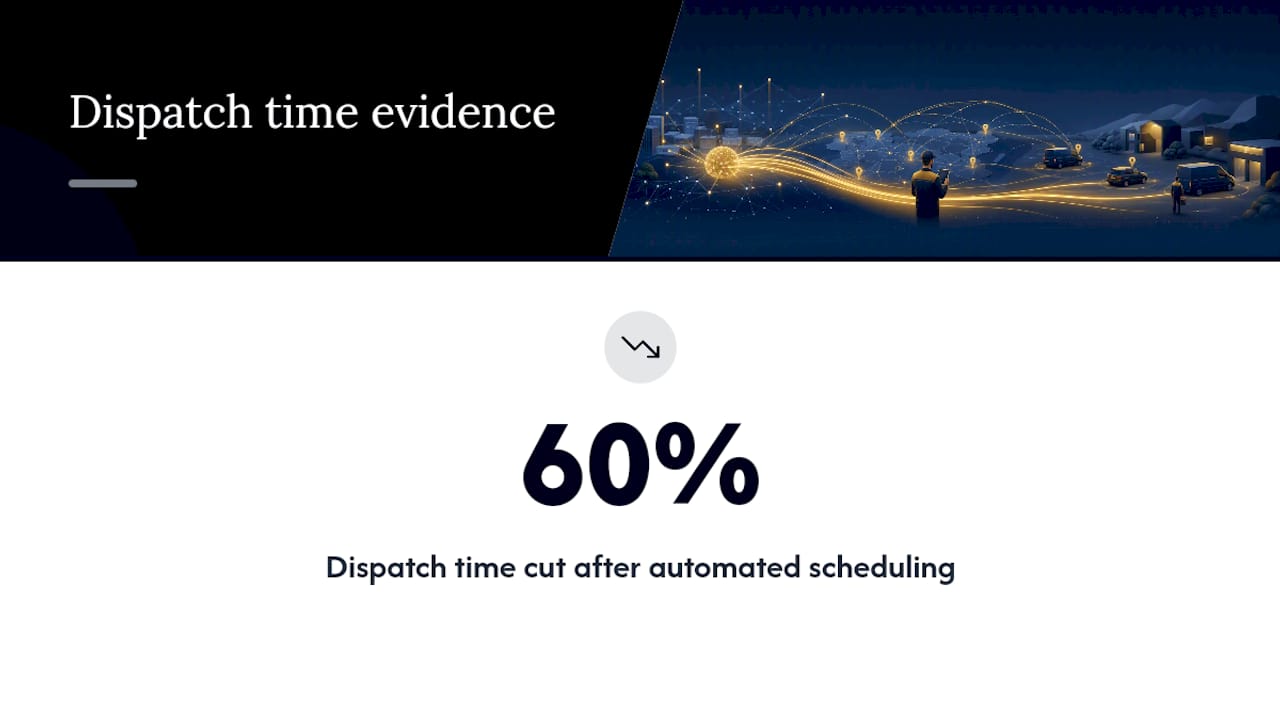
The clearest data point is dispatch time. Some businesses report reducing dispatch time by around 60% after implementing automated scheduling and route optimisation, replacing the phone-and-spreadsheet cycle with software that matches jobs to engineers automatically.
That figure lines up with what modern dispatch systems are actually designed to do: automated scheduling, route optimisation, GPS tracking, mobile access and analytics that reallocate work in real time rather than waiting for the next planning meeting. The mechanism behind the improvement isn't mysterious. Every minute a dispatcher spends manually checking who's near a job, who's qualified, and who's already booked is a minute automation removes from the process entirely.
Utilisation gains are harder to quantify with a single clean figure, but they follow the same logic. Skill-based dispatch reduces return visits and compliance risk by matching certifications to job requirements the first time, which means fewer wasted trips and more billable hours per engineer per week.
None of this happens automatically just by buying software. The gains show up specifically where re-optimisation and skill matching are configured properly, which is exactly why the earlier feature checklist and pilot KPIs matter more than the sales pitch.
How does scheduling software connect to your other systems?
Scheduling software that sits in isolation from the rest of your business creates almost as much admin as no software at all. The value comes from the connections.
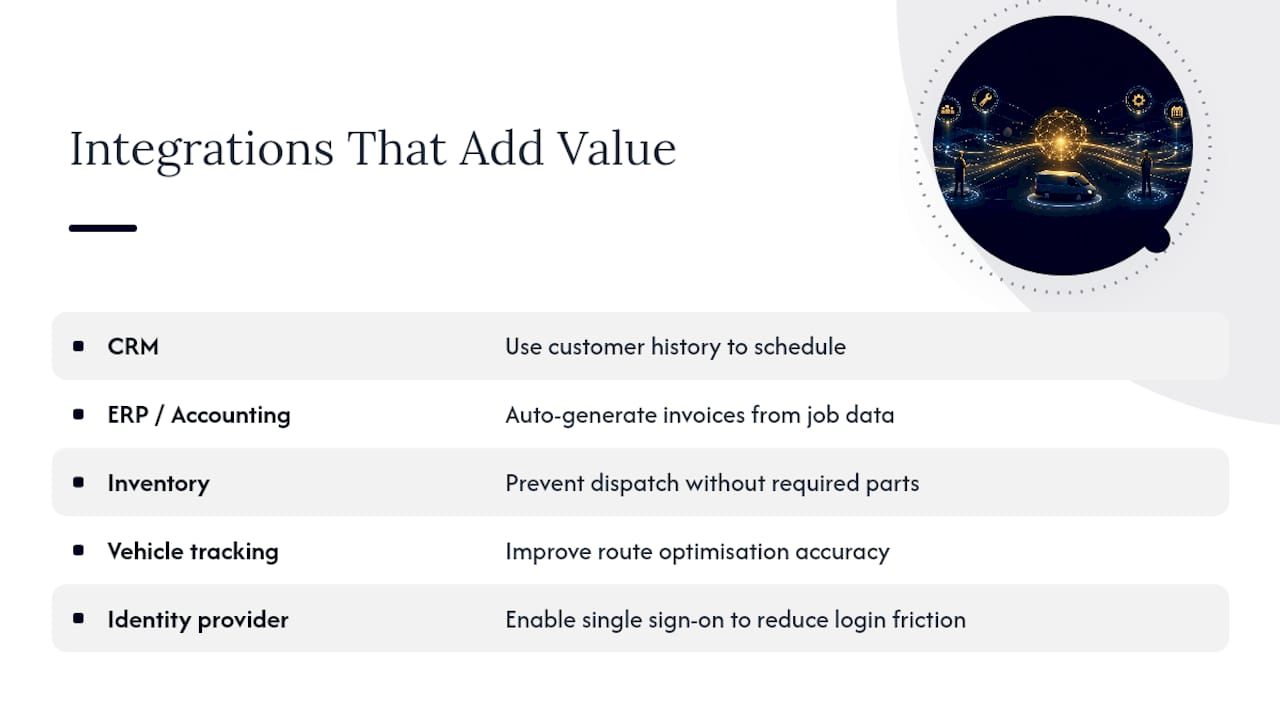
CRM integration matters because customer history, previous jobs and service agreements should inform scheduling decisions rather than living in a separate system a dispatcher has to check manually. ERP and accounting integration matters because a completed job should generate an invoice automatically, using the labour, parts and time actually recorded on-site, rather than requiring someone to reconstruct it from memory afterwards.
Inventory and stock integration closes a gap that catches out a lot of businesses. If a job requires a part that isn't in the engineer's van, the scheduling system should know that before dispatch, not after the engineer has driven forty minutes to discover it. Linking stock levels to job assignment prevents a huge share of avoidable return visits.
Vehicle tracking and identity provider integrations round this out for larger operations: knowing where vehicles actually are (not just where engineers say they are) improves route optimisation accuracy, while single sign-on through an identity provider reduces the login friction that makes staff avoid a system.
The test for any platform is simple: does data flow between systems automatically, or does someone still have to copy figures from one screen to another? If it's the latter, the integration is cosmetic.
Planner perspective: when to replace spreadsheets and ad-hoc systems
Repeated SLA misses, dispatchers spending hours a day manually reshuffling jobs, and admin backlogs that never clear, these are the three signals worth trusting over gut feel. A pilot typically shows its first wins within a few weeks, usually in dispatch time and travel distance, well before utilisation figures settle.
The trade-off that trips people up is chasing full customisation before launch. Get the core assignment rules working first. Refine the edge cases once the basics are proven, not before.
— Luke Herridge
Get a clear view of your schedule with Curcle
Curcle gives planners one connected view of jobs, engineers, assets and compliance, instead of the disconnected spreadsheets and phone calls most field service businesses still run on. Where generic scheduling tools stop at the calendar, Curcle carries the job through to the certificate and the invoice automatically.
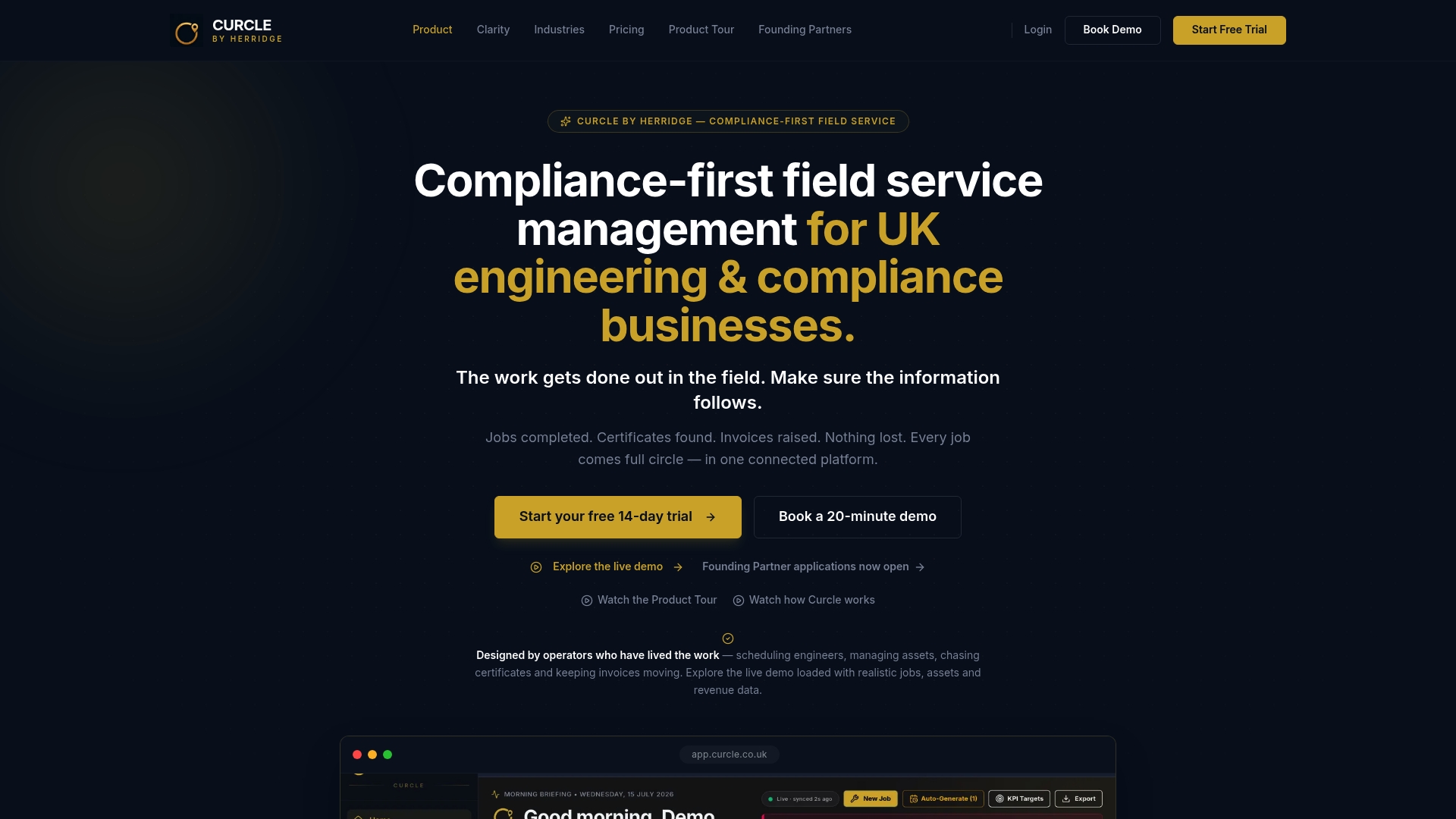
A demo walks through the product tour, a savings calculator to model your own dispatch and travel figures, and free compliance templates like an EICR checklist you can test against your current paperwork. Judge any vendor, Curcle included, against the pilot KPIs covered earlier: dispatch time, first-time fix rate, and invoicing speed, alongside how well it integrates with the accounting and asset systems you already run.
If you're ready to see how it fits your operation, request a quote or explore the full feature set before you book a pilot.
Sources
- IT Jobs Watch — field service engineer contracts data
- Salesforce — What is dispatch management?
- IBM — Dispatch management overview
- ResearchAndMarkets — UK field service management market